


A LEAD GENERATION COMPANION GUIDE
LEAD CAPTURE
& CRM HANDOFF
GUIDE.
Plan the practical steps between a booth conversation and a usable sales record: capture fields, duplicate cleanup, lead ownership and CRM handoff.
ON THE FLOOR / IN THE MOMENT
MAKE THE CONNECTION.
KEEP THE SPARK.
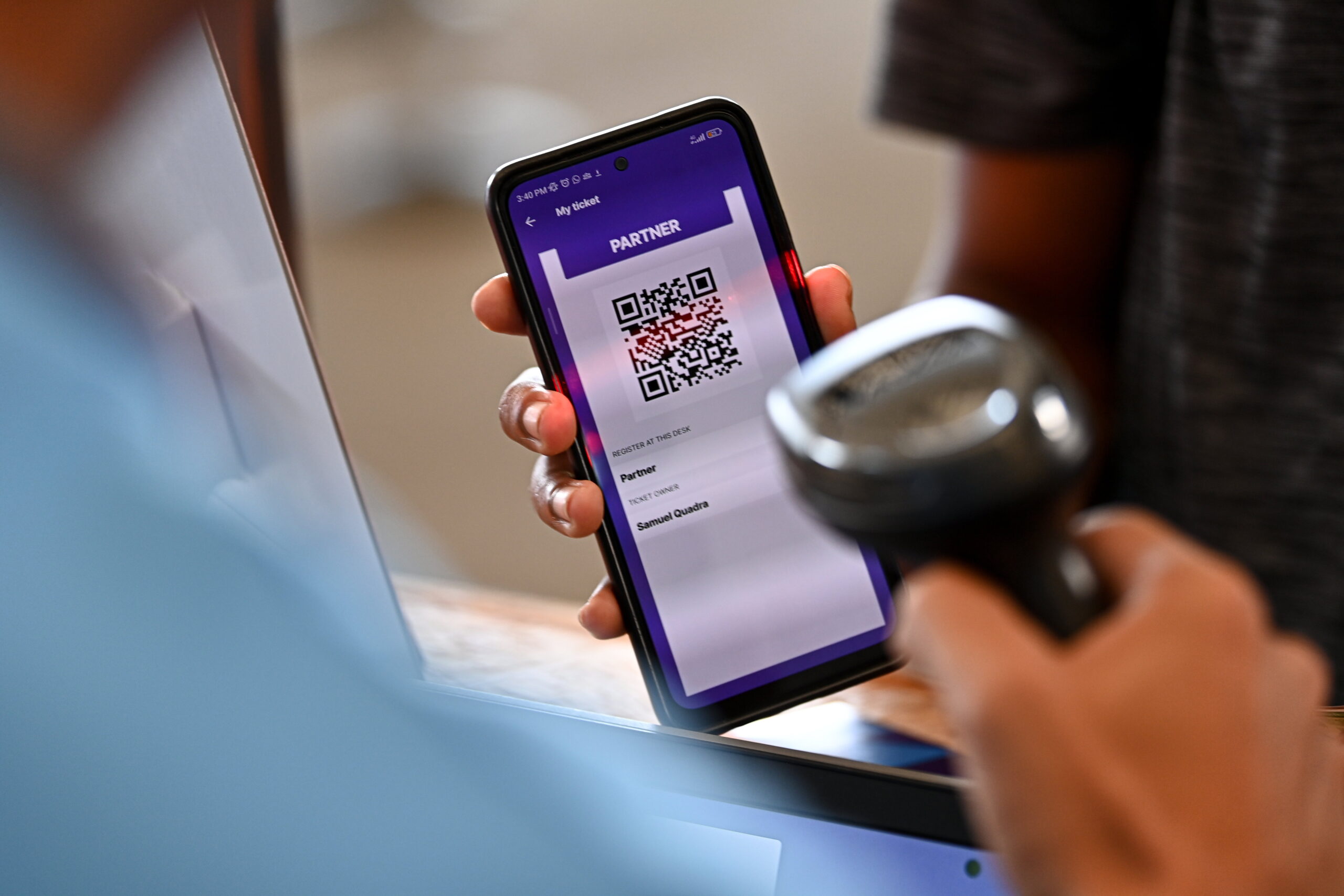
Give every conversation a usable record. This guide covers the capture-to-CRM process; for attracting and qualifying prospects, explore our Lead Generation Guide.
Eóin Noonan / Web Summit Rio / Sportsfile · CC BY 2.0 · cropped to fit
LESS FRICTION. MORE CONVERSATION.
A quick scan.
A real connection.
Confirm the visitor’s name, company and preferred contact details. Record their product interests and conversation notes while the exchange is fresh. Check badge access with the event organizer before the show.

Diego Padilha / Web Summit Rio · CC BY 2.0 · cropped to fit
THE RIGHT FIELDS KEEP THE CONTEXT.
Set up your fields.
Before the show.
Agree with your sales team on the information each record needs: contact details, company, conversation notes, next step and follow-up owner. Match these fields to your CRM, mark essential fields clearly and test a sample export before the event.
03 / CLEAN & ROUTE
Every conversation.
A clear next step.
Bring it together
Review matches using email or an existing CRM record ID. Preserve useful notes and review uncertain matches before combining records.
Send it to the right person
Agree with your sales team who owns each lead, using territory, account or another clear rule. Include a next action and follow-up deadline.
04 / FROM THE BOOTH TO YOUR CRM
GOOD DATA.
BETTER HANDOFFS.
Discuss the handoff with your software provider and CRM administrator. Define the information to transfer, the person responsible and the method before the show.

Gil Dutra / Web Summit Rio · CC BY 2.0 · cropped to fit
TWO PATHS. ONE CLEAR PLAN.
A connection that
fits your setup.
Some capture platforms offer connectors to compatible CRMs. Ask your provider which fields can transfer, how existing contacts are matched and when records will arrive.
- Agree on the fields and matching rules
- Confirm the connection and required access
- Test the handoff before the event
Connector availability depends on your software, subscription and CRM configuration. Your provider and CRM administrator should confirm compatibility before the event.
A clean file.
A clear import plan.
If a direct connection is unavailable, a CSV can organize leads into the fields your CRM expects. Have your CRM administrator review the file format and matching rules, and agree who will import it.
- Map the file to your CRM’s import fields
- Review duplicates and required information
- Assign an owner for the import and follow-up
A file export requires an import step; it is not a live sync.
WHAT TRAVELS WITH THE LEAD
The details.
The context.
The next move.
- The contact
- Name, company & email
- The opportunity
- Need, timeline & fit
- The conversation
- Interests, notes & next step
- The owner
- Sales rep, territory & account
BEFORE THE SHOW / PLANNING CHECKLIST
PREPARE THE TEAM.
PLAN THE FOLLOW-UP.
Test your capture setup
Confirm badge access, required fields and a backup capture method. Test sample leads, offline behavior and delivery. Agree on permitted data use, access and retention with your team.
Brief your booth team
Practice the questions, priority labels and note-taking process. Make sure everyone knows how to save a lead and flag a problem.
Agree on follow-up
Name the person responsible for reviewing and delivering the data. Assign each lead an owner, a next action and a follow-up deadline.
Does Purple provide lead capture software or CRM integration?
Purple Exhibits does not currently offer a managed lead-capture software or CRM integration service. This educational guide helps you prepare requirements to discuss with your event organizer, software provider and CRM administrator.
How is lead capture different from badge scanning?
Badge scanning is one way to collect contact details, depending on the event’s system and available access. A complete lead capture process also records conversation notes, qualification answers, ownership and a next step.
Can leads go directly into our CRM?
That depends on your lead capture platform, CRM and the available connection. Your provider and CRM administrator should confirm compatibility, field mapping and permissions before the event. A structured export can support an agreed import process when a direct connection is unavailable.
How are duplicate leads handled?
Matching rules are defined in advance, such as email address or an existing CRM record ID. Potential duplicates should be reviewed, with clear rules for combining notes and updating fields before transferring or importing records.
What should we prepare before the show?
Document your required contact fields, qualification questions and follow-up responsibilities. Confirm the organizer’s lead retrieval options, agree on the information you need with your provider, and test the planned handoff with your CRM administrator.

YOUR NEXT SHOW. A BETTER NEXT STEP.
THE SHOW ENDS.
THE CONVERSATION
SHOULDN’T.
Keep planning with practical guides for your booth, team and next trade show.
Explore more resources Revisit the planning checklist ↑