

IAFP 2027 · July 17–21, 2027 · Kansas City Convention Center, Kansas City
IAFP 2027 booth design & build in Kansas City
Custom and rental exhibits for food safety, diagnostics and sanitation companies, built so a microbiologist can examine the method and a plant manager can see where it fits. Instrument supports, readable evidence walls and Kansas City installation handled by Purple.
- July 17–21, 2027
- Kansas City Convention Center
All fees listed upfront, in full, on paper, before IAFP. Since 2015 · 10,000+ booths built · 3,000+ exhibitors served · 4.9★ client rating
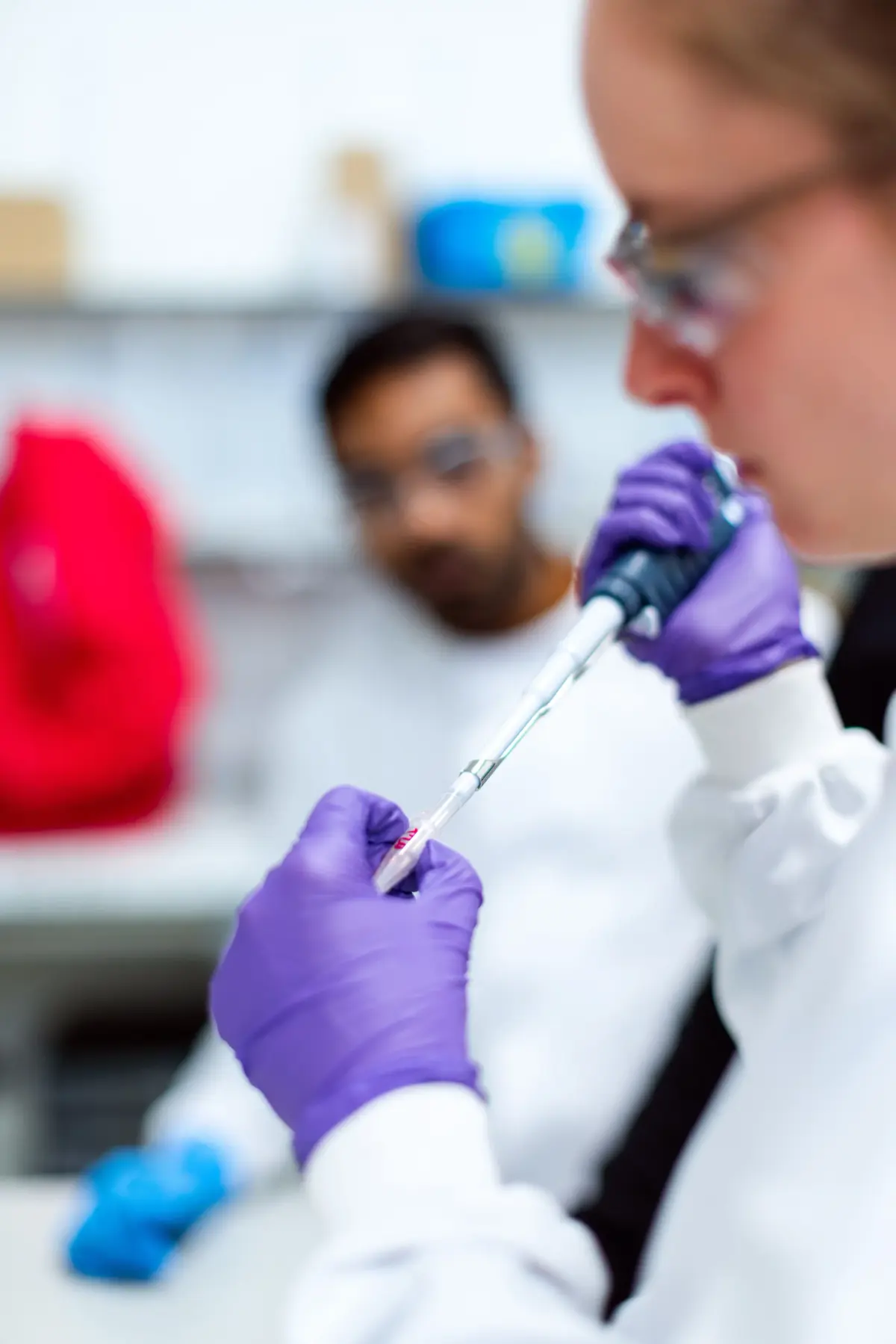
A woman scientist uses a pipette at a laboratory workstation
01 Purple at IAFP 2027
What makes IAFP different, and how we build for it
IAFP is a scientific meeting first and a trade show second. The people walking Bartle Hall have just come from a symposium or a Professional Development Group meeting, and many of them present in the poster sessions or the Developing Scientist Competition. The Ivan Parkin Lecture opens the week, the John H. Silliker Lecture closes it, and the Journal of Food Protection sets the standard for the evidence your staff will be asked about. Exhibit-hall receptions pull the whole meeting onto the floor at once, so a booth has to work for a quick handshake and for a twenty-minute look at a method. We build the evidence station, the instrument support and the quiet table as one plan.
A clear statement of which pathogens, matrices and plant settings your product covers, and a demo they can follow without a lab coat.
The instrument at working height, validation data with units and sources on a nearby screen, and a specialist who can go deep.
An application map that explains the science, printed references to take away and an easy route to a follow-up conversation.
Your team in Kansas City
One project manager, two shops, the whole IAFP build
For IAFP, we build in our own shop in Fishkill, NY, and at our Las Vegas hub, ship to the Kansas City Convention Center, and put our own project manager on the floor with vetted local labor for the install. A predictable 30–45-day turnaround, secure storage and a pre-show QA before IAFP.
Your team walks into a lit, stocked booth. You just show up.

02 Booths & pricing for IAFP 2027
Popular booth sizes at IAFP
IAFP floors are made of 10×10 and 10×20 inlines from diagnostics, sanitation and testing companies, with a handful of 20×20 islands from the large instrument and pathogen-detection brands. Exhibitors here usually choose a 10×20 with one demo counter and an evidence screen, or a 20×20 island with two stations and a meeting table.
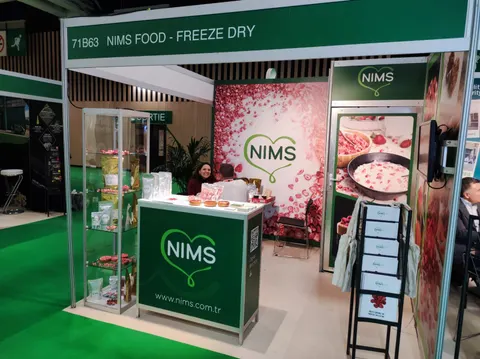
A demo counter for the assay, a second screen for validation results and a small table for a longer technical conversation.
Above: NIMS Food, a Purple inline booth
See 10×20 rental booths →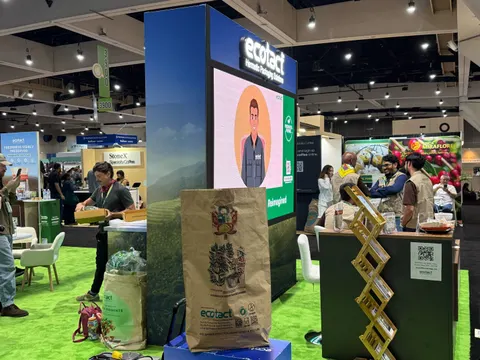
Regulators and students get the application map and references in one bay, the analyzer runs its ten-minute sequence in the middle, and a conversation surface for method data sits at the far end.
Above: ecotact, a Purple inline booth
See 10×30 rental booths →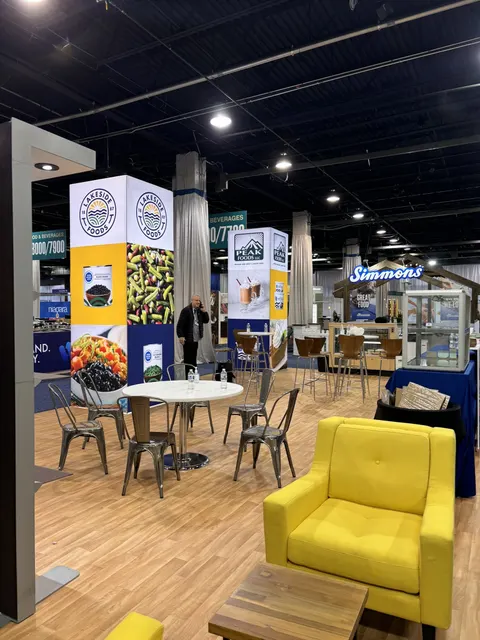
Two demo stations for different workflows, a sample and consumables library, an open meeting table and a hanging sign.
Above: Lakeside Foods, a Purple island exhibit
See 20×20 rental booths →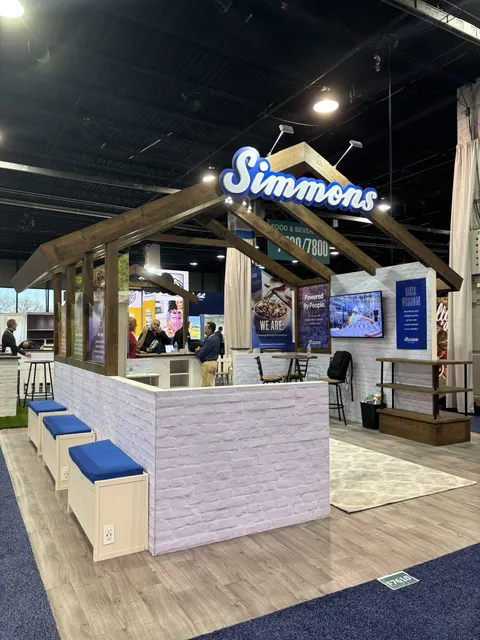
A walk-through workflow from sampling to result, an environmental monitoring or software demo, a private meeting room and storage.
Shown: a Purple island exhibit for Simmons
See 20×30 rental booths →In Purple's IAFP price
- Your design and 3D rendering, revised until it is right for IAFP
- Structure, printed graphics, counters and storage, as specified for IAFP
- Lighting plus power distribution within the booth at IAFP
- Install and dismantle at IAFP, led by our project manager on the floor
- Every IAFP show-service order and deadline tracked for you
Billed by IAFP and its contractor
- Exhibit space (paid to International Association for Food Protection)
- Material handling / drayage, where the space rate does not include it
- Electrical service, internet and rigging at the Kansas City Convention Center
- Booth cleaning and any union labor the Kansas City Convention Center requires
Your proposal estimates all of these, so the total for IAFP is on paper before you sign anything.
Each price is an all-in 2026 rental range for design, structure, graphics, installation and dismantle; we quote custom builds project by project. For an exact IAFP figure, try the booth cost calculator; the 2026 booth cost guide has the ranges.
Share the booth size you have at IAFP and what you need the space to do. A reply within one business day, then a IAFP rendering and fixed proposal, usually within a week. No charge.
03 Built by Purple
Booths we designed, built and installed: a few to compare for IAFP
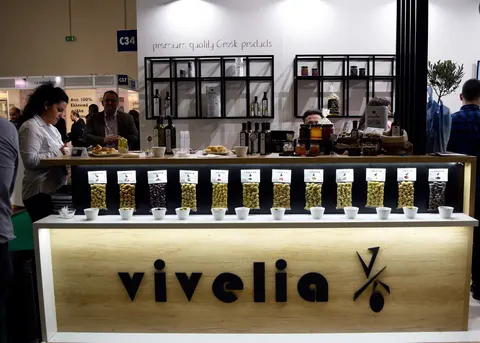
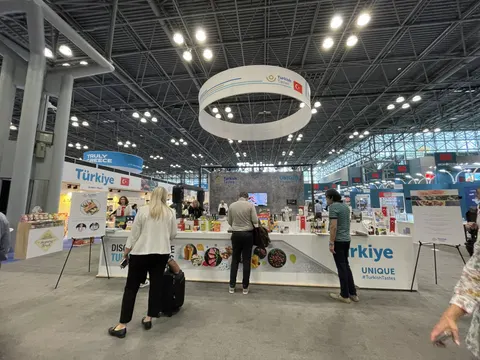
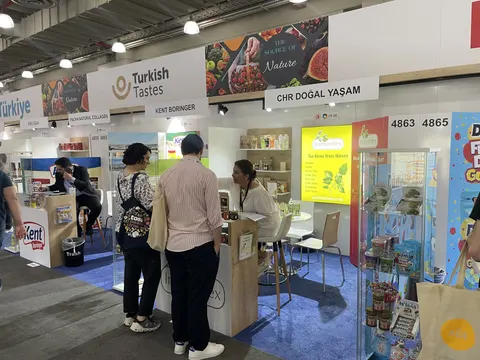
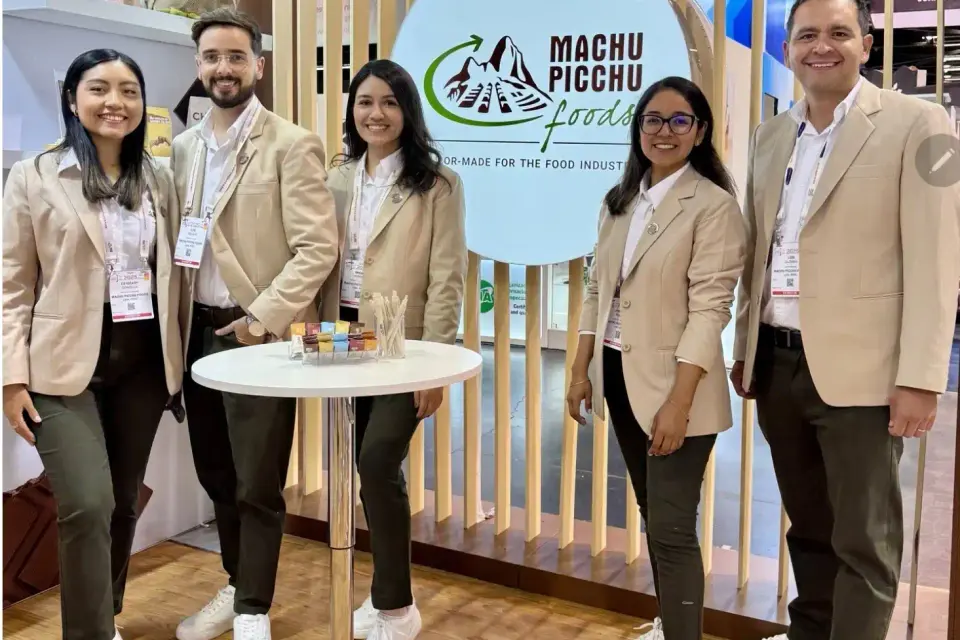
Case study · Machu Picchu Foods
Machu Picchu Foods at a food and beverage trade show
A walk-through, layered environment drawn from the landmark itself, where curiosity turned into sampling conversations.
Read the Machu Picchu Foods case study All case studies →“If you’re looking for a trade show booth expert who shows up and gets the job done right, Purple Exhibits is the real deal.”
Magdalena Kulisz, Service Manager, Miss Immigrant USA · client reviews
Trusted by exhibitors including





04 Designing for food safety, diagnostics and sanitation brands at IAFP
Four things we get right for IAFP exhibitors
 1
1Build an evidence wall people can read
The big graphic names the application and the product's role. Charts with labels, units and sources go on a screen at reading distance. We set the hierarchy with your technical team before printing so the headline, the screen and the take-away sheet describe the same configuration.
 2
2Show the instrument at working height
We mount analyzers and readers at the height your product team demonstrates them, with room for cables, accessories and consumables. Supports are built to the manufacturer's weight and operating requirements, with locked storage for reagents and demo materials inside the counter.
Keep demos repeatable and short
One controlled sequence the presenter can repeat every ten minutes with approved materials, plus a recorded version for when the station is busy. We plan where the visitor stands, what they see and how staff reset the station for the next conversation.
Give the deep conversation its own table
A microbiologist comparing method data should not block the demo counter. We place a conversation surface a few steps away with a second screen or printed documents, so a host can hand off to a specialist while the main station keeps moving.
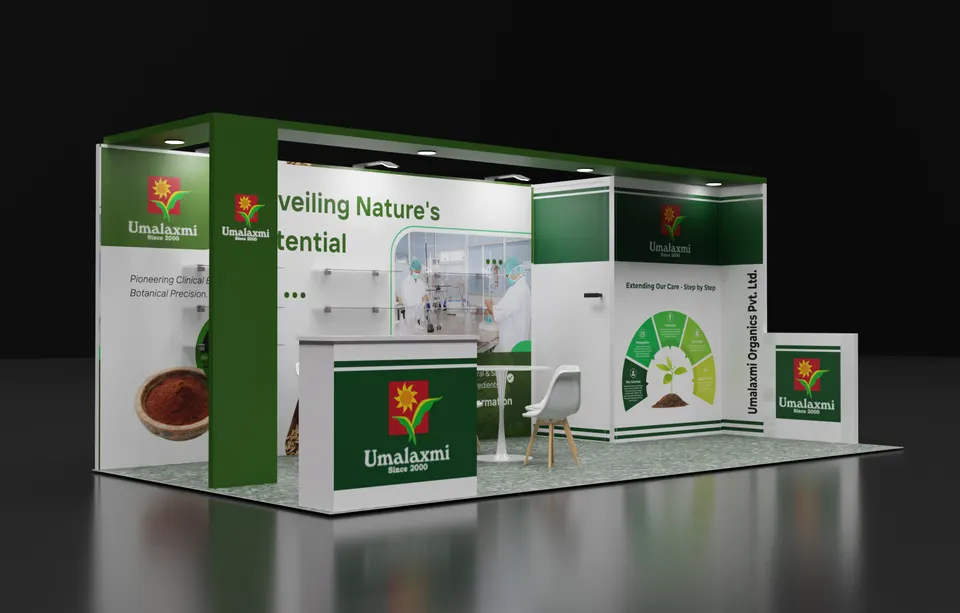
Concept rendering
Every IAFP proposal includes a rendering like this
See the IAFP booth in 3D first: layout, graphics, lighting and where products sit, revised until it is right and before any panel is cut. This one is a Purple concept for Umalaxmi Organics Pvt. Ltd.
Start my IAFP concept05 Kansas City Convention Center · Kansas City
Logistics for IAFP 2027, handled
The Kansas City Convention Center sits downtown, with Bartle Hall's column-free exhibit floor, hotels within a few blocks and the Power & Light District close by for evening receptions. Freight comes through the show's general contractor on target dates, and July heat means reagents and demo samples need a cold-chain plan that does not rely on the loading dock. We read the IAFP exhibitor kit, file the booth forms, order electrical and material handling, ship the booth to the advance warehouse and put our project manager on the floor with local labor for installation, dismantle and return shipping.
What Purple handles
- Exhibitor kit, booth forms and general contractor orders
- Instrument supports built to manufacturer weight and power specs
- Evidence walls and screens proofed with your technical team
- Freight to the advance warehouse and material handling paperwork
- Your own Purple project manager on the floor for install and dismantle, then return shipping
Your IAFP timeline, from move-in back
- Early May 2027Design sign-off, instrument weights and demo plan locked, island drawings submitted where required.
- Mid-May to late June 2027Production in Fishkill, NY; graphics proofed against your approved technical content.
- Late June 2027Booth and instrument supports ship to the advance warehouse in Kansas City.
- Mid-July 2027Move-in on the general contractor's target date; your Purple project manager runs the install, powers up the demo stations and works the pre-show checklist.
- July 17–21, 2027Show week; a Purple project manager is on call through the receptions and the last session.
- July 21, 2027Dismantle after close, instruments and samples packed to your return plan, booth to storage or the next show.
Our planning timeline. Official move-in, freight target and order deadlines for IAFP come from your exhibitor kit and assigned schedule; we confirm them against your booth when you book.
Printable IAFP budget & deadline sheetIAFP exhibitor questions
Questions exhibitors ask us before IAFP
How much does a 10×20 at IAFP cost?
A complete 10×20 rental lands between $7,500 and $15,000 and a 10×20 custom build between $15,000 and $45,000, including design, structure, graphics and installation. A 20×20 island runs $16,000 to $40,000 as a rental. Instrument mounts and screens move the number; send us your equipment list and we return a fixed quote.
Can you install at the Kansas City Convention Center?
Yes. Purple builds in Fishkill, NY and Las Vegas, ships to Bartle Hall and installs with our own project manager and local labor. We book the freight targets, order electrical for every demo station and run a pre-show QA so your scientists walk into a working booth.
Can we rent a booth for IAFP?
IAFP exhibitors can rent: rental structures with your graphics, a custom demo counter on a rental frame, or a full custom build are all available. Most first-time IAFP exhibitors take a 10×20 rental, $7,500 to $15,000, with one instrument counter and add a custom evidence wall the following year.
When do we need to decide?
Design sign-off in early May gives a 30 to 45 day build and a late June ship date ahead of the mid-July move-in. We can move faster when needed; the trade-off is finish options and freight cost, so the earlier we have your instrument list, the better the booth.
Do you handle the exhibitor paperwork and drayage?
Yes. We read the IAFP exhibitor kit, file the booth forms, order material handling, electrical and cleaning from the general contractor, and keep you copied on every deadline. Your team only needs to bring the instruments, reagents and the people who explain them.
Before you sign with any builder
Five things to ask every builder quoting IAFP:
- Is every fee on the proposal, including what the IAFP show contractor bills?
- Who builds the IAFP booth: your own shop or a subcontractor?
- Will your project manager be on the floor for install and dismantle?
- For IAFP, what is in the rental and what is billed by the show?
- Once IAFP closes, where does the booth go and what does storage cost?
Common situations
Already own a booth? Bring it: we refresh the graphics, repair what is worn, ship it, install it at IAFP and store it until the next show. You keep the structure you paid for and bring it to IAFP.
Exhibiting from outside the US? We are your team on the ground at the Kansas City Convention Center: freight to the advance warehouse, show-service orders, installation and storage, with one project manager on your emails in your time zone.
Short on time? In two to three weeks, a rental with your graphics can be ready for Kansas City. We tell you on the first call what is realistic before IAFP.
Get a proposal
Tell us about your IAFP booth
What happens next
- You get a reply within one business day, asking about your products, goals and footprint at IAFP.
- You get a concept rendering and a fixed proposal for IAFP, usually within a week. Every last fee for IAFP, listed upfront and in full on paper.
- Production runs 30–45 days, then we ship to the advance warehouse and install before the IAFP hall opens.