

ALOA 2027 · July 16–17, 2027 · Donald E. Stephens Convention Center, Rosemont
ALOA 2027 booth design & build in Rosemont
Custom and rental exhibits for lock, door hardware, access control and locksmith tool brands, built so a locksmith can work the product with both hands. Demo doors engineered to your hardware weights, powered key-machine benches, and Stephens Center drayage managed by your Purple project manager.
- July 16–17, 2027
- Donald E. Stephens Convention Center
Each ALOA fee listed upfront and in full, on paper. 3,000+ exhibitors served · 4.9★ client rating · 10,000+ booths built · In business since 2015
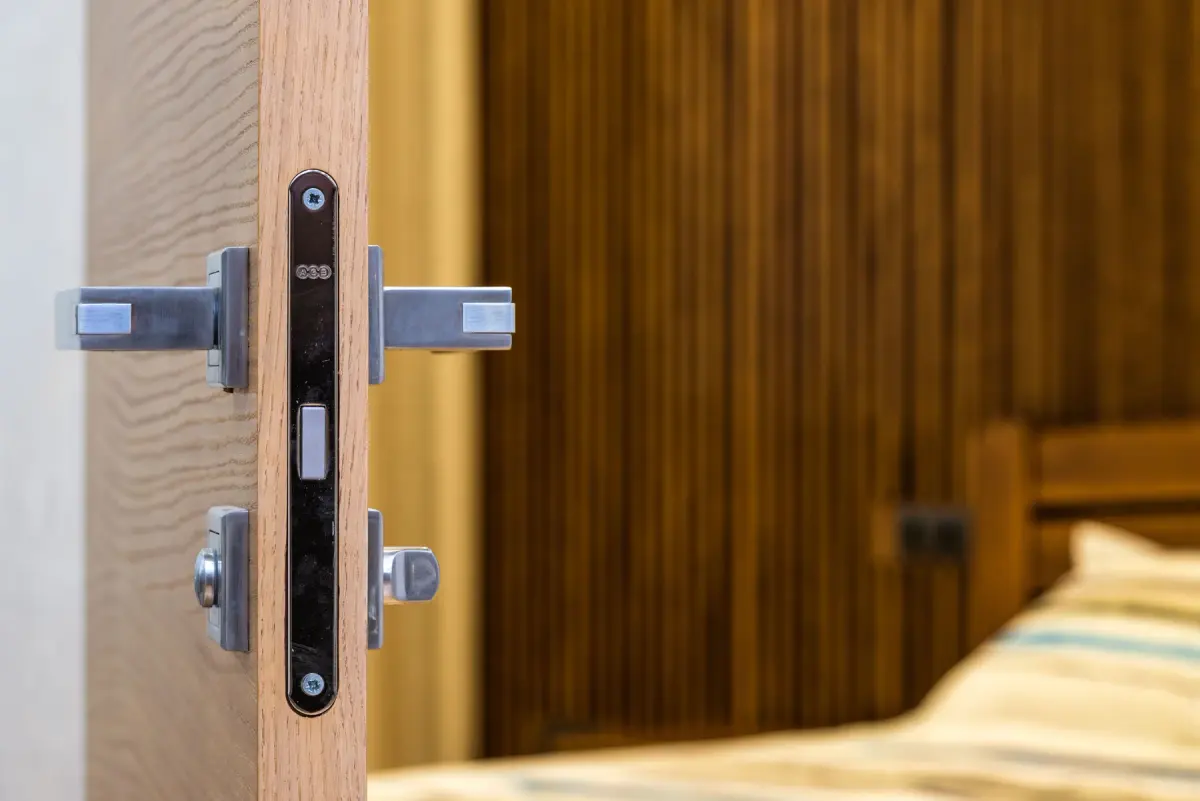
A modern wooden door with a metal handle and lock opens toward a bedroom
01 Purple at ALOA 2027
What makes ALOA different, and how we build for it
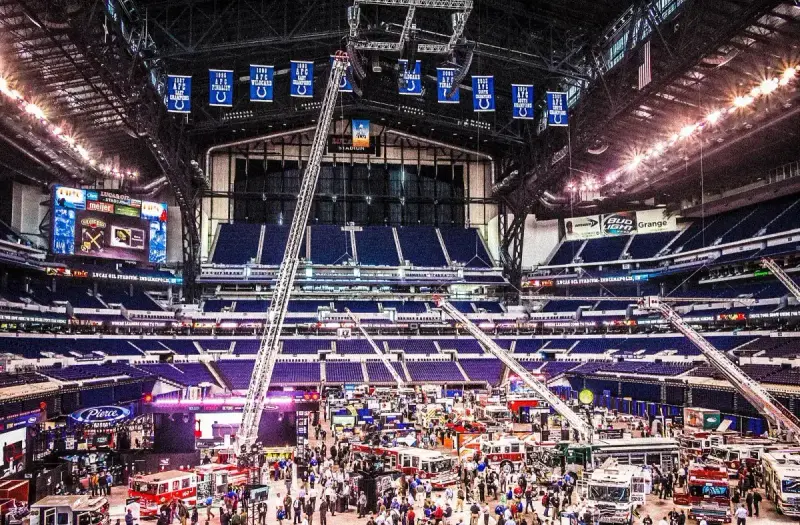
ALOA is the locksmith trade's own convention, and the Security Expo is two working days inside a full week of classes at the Donald E. Stephens Convention Center and the Hyatt Regency O'Hare Chicago. The Medeco/ALOA Lock-Picking Competition runs on the show floor, and hourly prize drawings, with a full registration to ALOA 2028 in Las Vegas as the grand prize, pull attendees back through the aisles all day. The ALOA Security Professionals Association promotes the expo as the place to meet suppliers one-on-one and buy on show specials, so buyers arrive ready to order. They want to pick the lock, cut the key and feel the hardware first, so a booth that puts working product at hand height wins.
Working hardware on a demo door, key machines they can run themselves, show specials priced for the two expo days, and a distributor they can order from before they leave the hall.
Programming tools, transponder keys and high-security cylinders demonstrated on a powered bench, with a specialist who can answer application questions on the spot.
Safes and electronic locks at working height, access control demonstrated end to end on a sandbox system, and a quiet table for a dealer conversation.
Your team in Rosemont
Two shops and one project manager for ALOA
Our Fishkill, NY production shop and our Las Vegas hub build the booth, we ship it to the Donald E. Stephens Convention Center, and our own project manager runs the ALOA install on the floor with vetted local labor. Expect a 30–45-day build for ALOA, secure storage and a pre-show QA.
The booth is lit and stocked when your team reaches the Donald E. Stephens Convention Center. You just show up.
02 Booths & pricing for ALOA 2027
Popular booth sizes at ALOA
ALOA floors are 10×10 and 10×20 territory: a two-day expo where most exhibitors run inline booths, with the distributor houses and lock manufacturers taking corners and small islands. Purple clients at ALOA usually choose a 10×20 with a demo door and a key-machine bench, or a 20×20 island when a full product line needs its own wall.
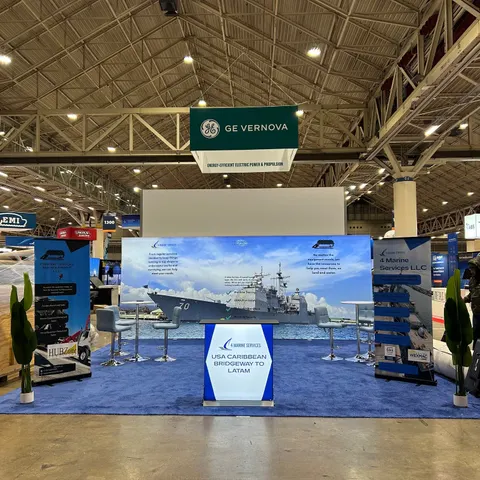
A demo door plus a powered bench for key machines and programmers, and a table for writing show-special orders.
Shown: 4 Marine Services LLC, a Purple inline booth
See 10×20 rental booths →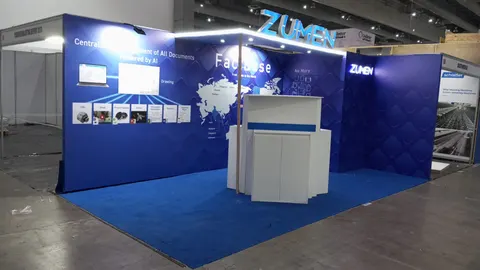
The demo door and finish wall, the powered bench with key machines and programmers, and an access-control sandbox with live readers each take a bay, with a counter for show-special orders between them.
Shown: Zumen, a Purple inline booth
See 10×30 rental booths →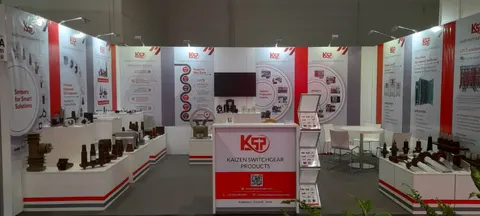
Two demo doors, an access-control wall with live readers, a safe display and a meeting table under a hanging sign.
Pictured: Kaizen Switchgear Products, a Purple island exhibit
See 20×20 rental booths →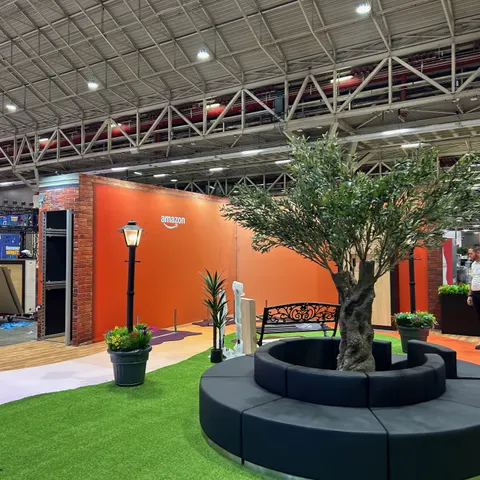
A full product wall grouped by application, a picking or programming station, a dealer lounge and locked storage for tools and keys.
Pictured: Amazon, a Purple large-format exhibit
See 20×30 rental booths →In Purple's ALOA price
- A 3D rendering of your ALOA booth, revised until you approve it
- Structure, printed graphics, counters and storage, as specified for ALOA
- Lighting and power distribution inside the booth
- Installation and dismantle at the Donald E. Stephens Convention Center, with our project manager on the floor
- Show-service orders and deadlines for ALOA, tracked on your behalf
What ALOA and its contractor bill
- Booth space, paid to ALOA Security Professionals Association
- Material handling (drayage) at the Donald E. Stephens Convention Center, where the space rate does not include it
- Electrical, internet and rigging orders for ALOA
- Booth cleaning and whatever union labor the ALOA venue requires
Every one of these is estimated on your proposal, so you see the full ALOA total on paper before you sign.
The prices above are all-in 2026 rental ranges covering design, structure, graphics, installation and dismantle; custom builds for ALOA are quoted per project. For an exact ALOA figure, try the booth cost calculator; the 2026 booth cost guide has the ranges.
Tell us your ALOA booth size and what the space has to do. A reply within one business day, then a ALOA rendering and fixed proposal, usually within a week. No charge.
03 Built by Purple
Our booths, designed, built and installed, to compare for ALOA
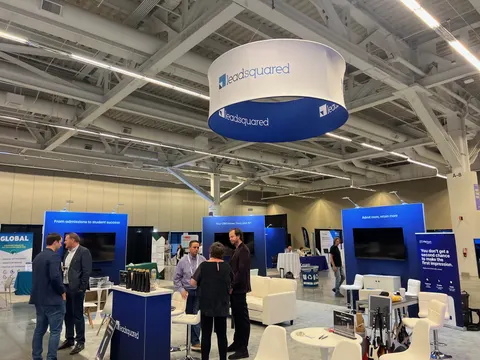
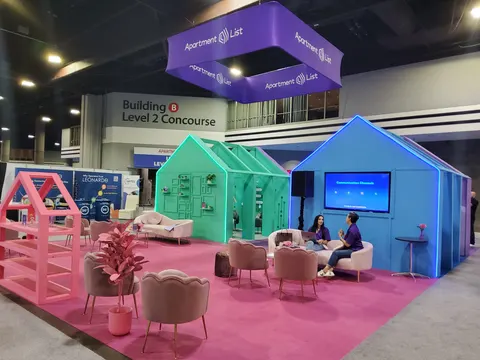
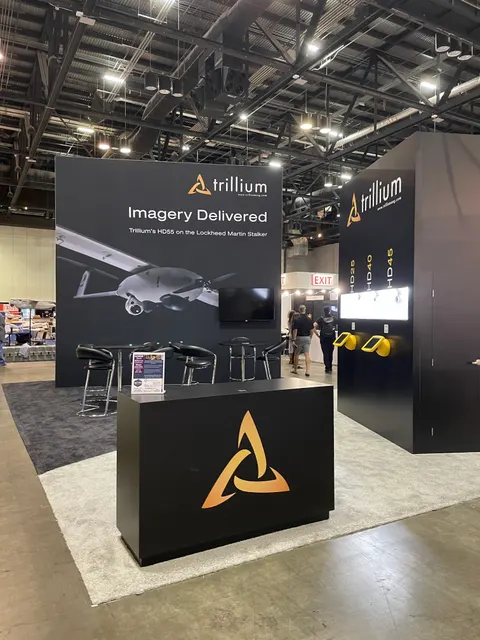
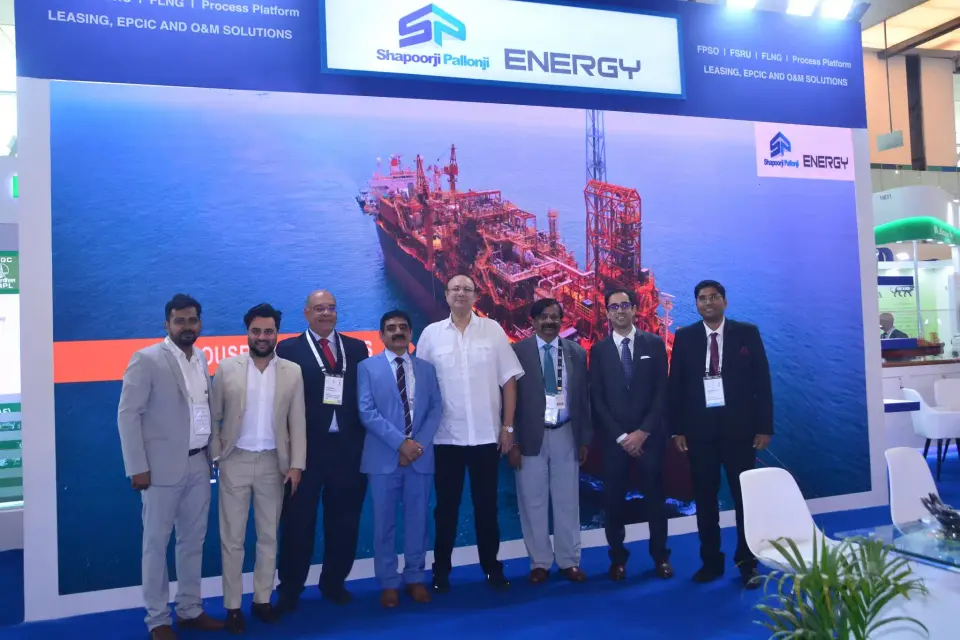
Case study · Shapoorji Pallonji
Shapoorji Pallonji at an engineering and infrastructure exhibition
A structured, powerful booth for a global engineering group founded in 1865, built to communicate scale, trust and engineering excellence.
Read the Shapoorji Pallonji case study All case studies →“They handle everything end to end so clients can really just show up and not worry about anything. Doesn’t get any better than that.”
Tess Bockes, Exit King Realty · more client reviews
Trusted by exhibitors including






04 Designing for lock, door hardware, access control and locksmith tool brands at ALOA
Four things we get right for ALOA exhibitors
 1
1Design the fixture before the graphics
Door hardware has a physical relationship to its support, so we start with the demo doors, panels and mounting inventory: dimensions, weight and how a visitor will work each unit. The graphic wall is planned around the fixtures, so handles are never crowded and readers, screens and labels sit at working height.
 2
2Group products by application, not SKU
Visitors choose a conversation faster when the first view reads commercial openings, residential hardware, automotive or access control, each with a short label and a recognisable fixture. We keep like products aligned so a finish, keyway or credential difference reads without a presenter explaining everything from memory.
Demonstrate access control on a sandbox
Live readers and software need a purpose-built demo environment: demo credentials, sample data, a screen readable from the visitor's side of the counter and cable management that stays tidy for two days. We build the panel so what is live and what is simulated is clear at a glance.
Plan the handoff and the maintenance
Every station gets a named product owner, a place for documentation and a quiet position for a distributor or technical follow-up. Removable panels make hardware swaps practical, we photograph the finished configuration before it ships, and duplicates and tools live in locked storage inside the furniture.
Concept rendering
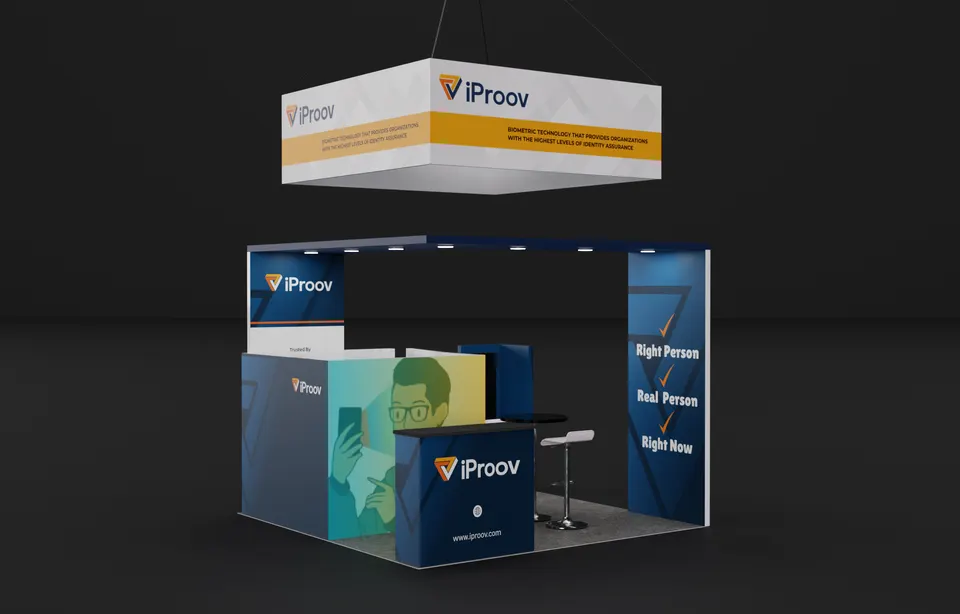
Every ALOA proposal includes a rendering like this
The 3D view shows layout, graphics, lighting and product positions before we cut a panel, and we revise it until the ALOA booth is right. Above: a Purple concept for iProov.
Start my ALOA concept05 Donald E. Stephens Convention Center · Rosemont
Logistics for ALOA 2027, handled
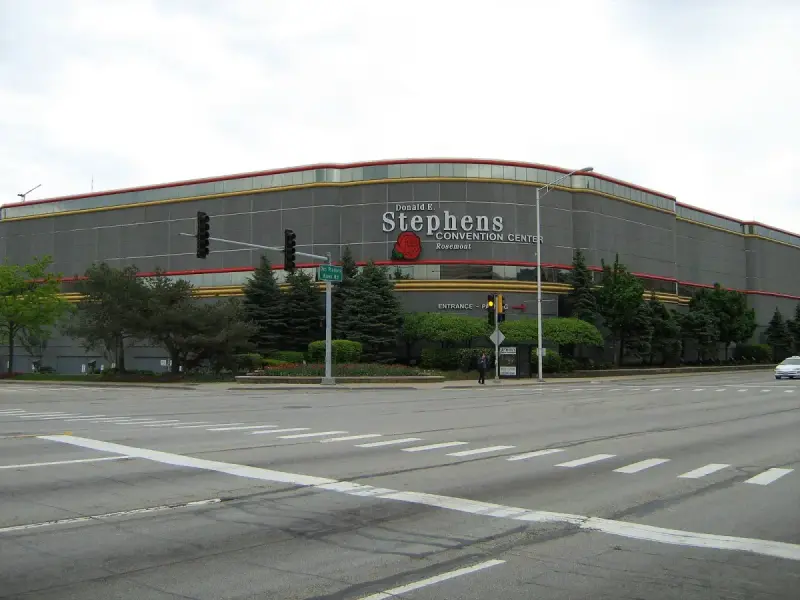
The Donald E. Stephens Convention Center sits on River Road ten minutes from O'Hare, with docks on River Road and truck access from the Kennedy and Tri-State expressways, well clear of Loop traffic. Illinois is not a right-to-work state, so exhibit labor runs through the show contractor, and we plan drayage at the Rosemont Exposition Services tariff of about $145 per hundredweight for crated freight. Fabrics carry Illinois flame certificates and our certificate of insurance names ALOA and the Village of Rosemont. Classes run at the Hyatt Regency O'Hare, and the skybridge garage keeps your staff dry. We read the ALOA exhibitor kit, file the forms, ship to the advance warehouse, then put our project manager in charge of the show contractor's labor at install.
This building's hall rules, drayage estimates and freight deadlines for ALOA exhibitors are in our Donald E. Stephens Convention Center exhibitor guide.
What Purple handles
- ALOA exhibitor kit, show contractor orders and target dates
- Demo doors, panels and benches engineered to your hardware weights
- Graphics printed in house and proofed against your finishes
- Freight to the Rosemont advance warehouse and drayage paperwork
- Project manager on the Stephens Center floor for installation and dismantle; return shipping booked
- Certificate of insurance naming ALOA and the Village of Rosemont
ALOA timeline, counted back from move-in
- Early May 2027Design sign-off, with demo-door engineering and the power plan approved.
- May–June 2027Production in our shop; graphics proofed against your real finishes and hardware.
- Late June 2027Booth, demo doors and benches ship to the advance warehouse in Rosemont.
- Mid-July 2027Move-in on the ALOA target date; your Purple project manager oversees the install and runs the pre-show checklist before the 10 a.m. opening on July 16.
- July 16–17, 2027Security Expo days, 10 a.m. to 4 p.m.; a Purple project manager is on call while the Lock-Picking Competition pulls traffic past your booth.
- July 17, 2027Dismantle after the 4 p.m. close, tools and keys packed to your inventory, booth to storage or the next show.
Purple's planning timeline for ALOA. Move-in, freight target and order deadlines are set by the ALOA exhibitor kit and your assigned schedule; we confirm them for your booth once you book.
Print the ALOA budget & deadline sheetALOA exhibitor questions
Questions exhibitors ask us before ALOA
How much does a 10×20 at ALOA cost?
A complete 10×20 rental lands between $7,500 and $15,000, and a custom 10×20 between $15,000 and $45,000, covering design, structure, graphics and installation. Demo doors and powered benches move the number; send us your hardware list and we return a fixed quote.
Can you install at the Donald E. Stephens Convention Center?
Yes, and our project managers handle Rosemont and McCormick Place installs all year. Illinois exhibit labor runs through the show contractor, so we schedule that labor, bring the demo doors and benches through the River Road docks and have every lock and key machine working before the 10 a.m. opening on July 16.
Can we rent a booth for ALOA?
Yes. Rental structures with your graphics, custom demo doors on a rental frame, or a fully custom build are all available. Most first-time ALOA exhibitors take a 10×20 rental with one custom fixture, then reuse that fixture at their next security show, and we store it between shows.
When do we need to decide?
Design sign-off in early May gives a comfortable 30–45-day build and a late June ship date to the Rosemont advance warehouse. Later is possible; the trade-off is choice of finishes and the cost of expedited freight. ALOA publishes 2027 booth pricing in spring 2027, so lock in the footprint first.
Do you handle the show contractor orders and drayage?
Yes. We read the ALOA exhibitor kit, order electrical for the key machines and readers, file the drayage paperwork at the Rosemont tariff of about $145 per hundredweight, and keep you copied on every deadline so nothing depends on a form you did not know about.
Before you sign for ALOA
Five things to ask every builder quoting ALOA:
- Is every fee on the proposal, including what the ALOA show contractor bills?
- Who actually builds it for ALOA: your shop or a subcontractor?
- Who from your team is on the ALOA floor for install and dismantle?
- What does the rental include, and what is billed by ALOA?
- Once ALOA closes, where does the booth go and what does storage cost?
Common situations
Already own a booth? Your existing booth gets refreshed graphics and repairs, then we ship it to Rosemont, install it and store it between shows. You keep the structure you paid for and bring it to ALOA.
Exhibiting from outside the US? We are your team on the ground at the Donald E. Stephens Convention Center: freight to the advance warehouse, show-service orders, installation and storage, with one project manager on your emails in your time zone.
Short on time? A ALOA rental carrying your graphics can be ready in two to three weeks. We tell you on the first call what is realistic for your date.
Get a proposal
Tell us about your ALOA booth
What happens next
- We reply within one business day with questions about your products, goals and footprint.
- You get a concept rendering and a fixed proposal, usually within a week. All fees listed upfront, in full, on paper, before ALOA.
- We build in 30–45 days, ship to the advance warehouse and install before the hall opens.

