


RSAC 2027 · April 5–8, 2027 · Moscone Center, San Francisco
RSAC 2027 booth design & build in San Francisco
Custom and rental exhibits for cybersecurity and enterprise software brands, built around one clear use case, a working demo and a quiet place to talk. Contractor orders, union labor and Moscone freight handled by your Purple project manager.
- April 5–8, 2027
- Moscone Center
Each RSAC fee listed upfront and in full, on paper. Since 2015 · 10,000+ booths built · 3,000+ exhibitors served · 4.9★ client rating
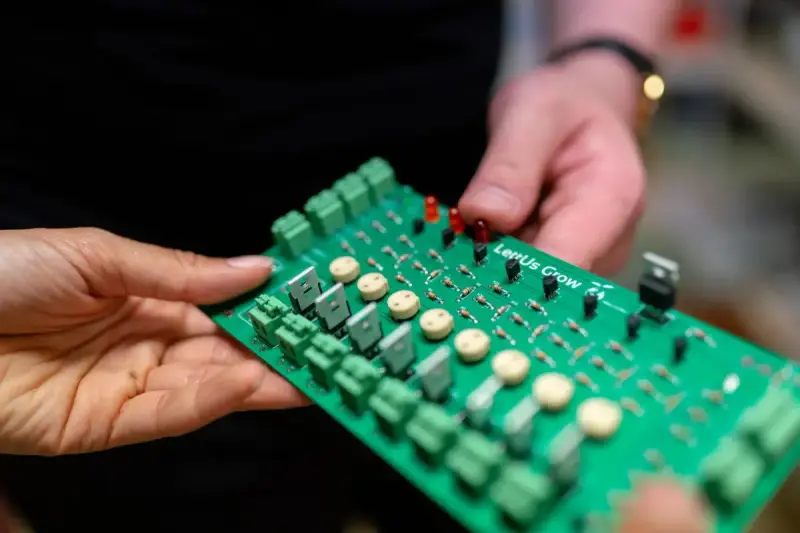
Participants examining a handheld device in a workshop; technology interaction reference
01 Purple at RSAC 2027
What makes RSAC different, and how we build for it
RSAC is the one week when the whole security industry is in one building: approximately 44,000 attendees and more than 600 exhibitors filled North Expo and South Expo in 2026, with sessions in Moscone West and keynotes across the street at Yerba Buena Center for the Arts. The RSAC Innovation Sandbox and RSAC Launch Pad finalists pull the venture and press crowd, and the Early Stage Expo featuring Next Stage gives new vendors their own floor. Platforms look alike from the aisle, so your booth has to state the problem and the outcome in one glance, then hold a working demo and a quiet table for the second conversation. We build RSAC exhibits that do all three in one footprint.
A one-line problem-and-outcome statement readable from the aisle, and a seat away from the demo queue where a budget conversation can happen without an audience.
A live console at readable height, a prepared environment with real-looking data, and a specialist who can go past the headline without holding up the line.
A scheduled meeting spot the host can find in seconds, a clear architecture and integration story, and a defined next step before they leave the booth.
Your team in San Francisco
One project manager, two shops, the whole RSAC build
Our Fishkill, NY production shop and our Las Vegas hub build the booth, we ship it to the Moscone Center, and our own project manager runs the RSAC install on the floor with vetted local labor. Turnaround is a predictable 30 to 45 days, with pre-show QA and secure storage for your RSAC booth.
When your team gets to San Francisco, the booth is lit and stocked. You just show up.

02 Booths & pricing for RSAC 2027
Popular booth sizes at RSAC
RSAC floors are set by the platform vendors: 20×20 and larger islands with hanging signs fill the front of North Expo and South Expo, and inline 10×20s line the aisles behind them. Exhibitors here usually choose a 10×20 demo bar for a first year or a 20×20 island with a meeting room once the pipeline justifies it.
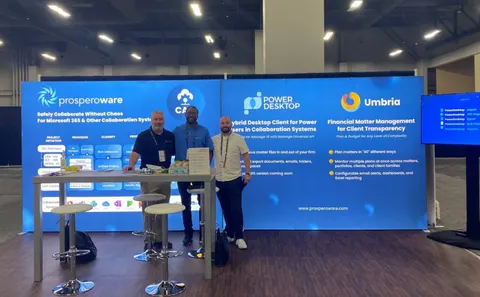
A demo bar with two specialist stations, an intro screen facing the aisle and a standing-height table for a quick partner conversation.
Shown: Prosperoware, a Purple inline booth
See 10×20 rental booths →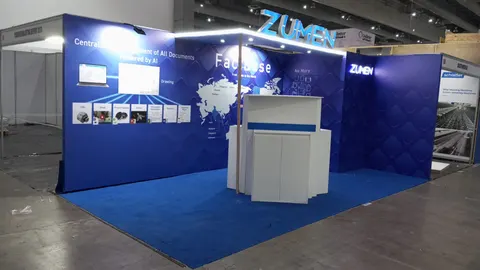
The scenario screen faces the aisle from the center bay, two specialist stations run the deep dive on one side, and a semi-private nook on the other seats a CISO away from the queue.
Above: Zumen, a Purple inline booth
See 10×30 rental booths →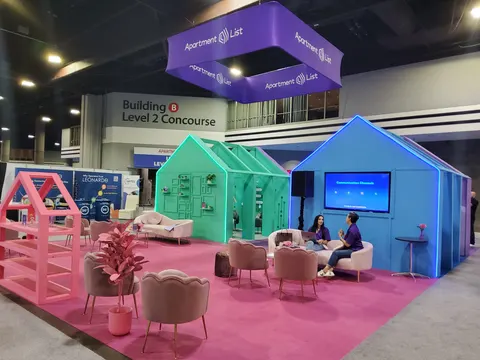
An island with a hanging sign, a short aisle demo on each open side, two deeper technical stations and a semi-private meeting nook.
Shown: Apartment List, a Purple island exhibit
See 20×20 rental booths →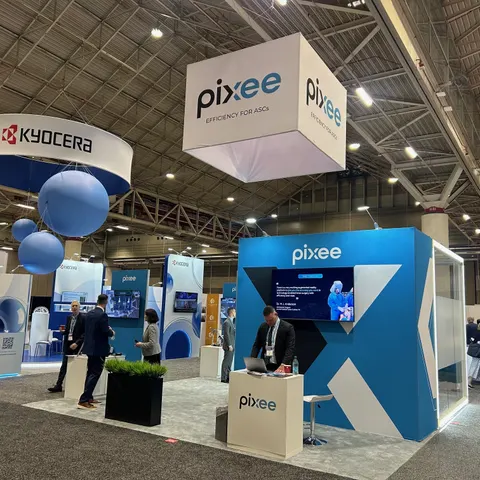
A presentation edge with theater seating, independent demo pods for separate product lines, a closed meeting room and a storage closet for gear.
Pictured: Pixee, a Purple island exhibit
See 20×30 rental booths →In Purple's RSAC price
- A 3D rendering of your RSAC booth, revised until you approve it
- The structure, printed graphics, counters and storage your RSAC plan specifies
- Lighting plus power distribution within the booth at RSAC
- Install and dismantle at RSAC, led by our project manager on the floor
- Tracking of every show-service order and deadline
Paid to RSAC and its contractor
- Your RSAC booth space, paid to the organizer
- Material handling at the Moscone Center, when the space rate does not include it
- Electrical, internet and rigging orders for RSAC
- Booth cleaning and whatever union labor the RSAC venue requires
Before you sign, your proposal already estimates each of these show charges, so the RSAC total is on paper.
Prices are all-in 2026 rental ranges for design, structure, graphics, installation and dismantle; custom builds are quoted per project. Run your RSAC numbers in the booth cost calculator and the 2026 booth cost guide.
Share the booth size you have at RSAC and what you need the space to do. Expect a reply within one business day and, usually within a week, a rendering and a fixed proposal for RSAC. No charge.
03 Built by Purple
Booths to look at before you plan RSAC
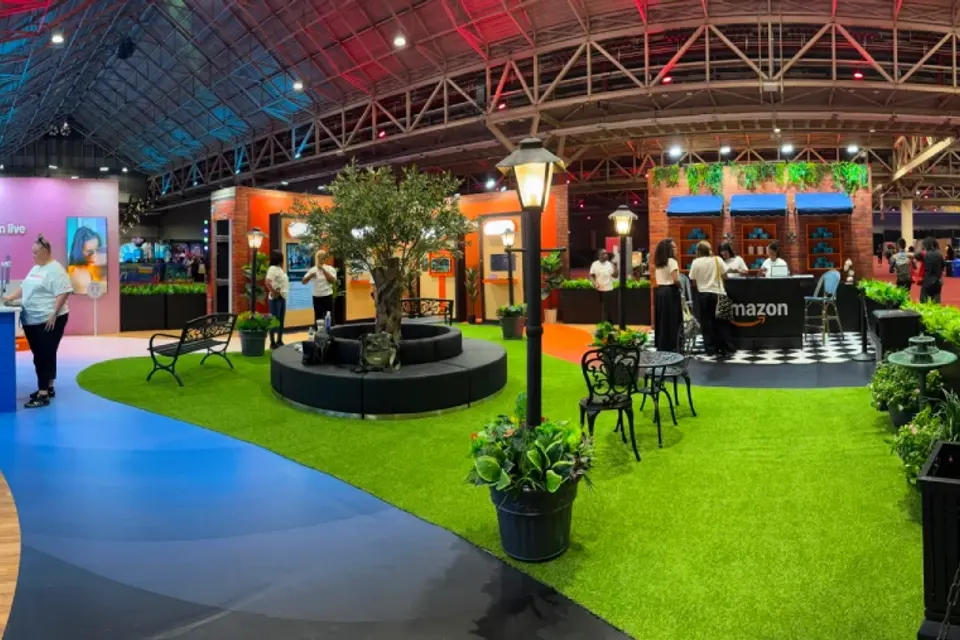
Case study · Amazon
Amazon at ESSENCE Festival of Culture, New Orleans
Amazon’s first ESSENCE Festival activation: a walk-through environment that welcomed hundreds of thousands of attendees across Prime Video, Amazon Live and Alexa.
Read the Amazon case study All case studies →“From start to finish, their team was professional, responsive, and incredibly easy to work with. They designed and built a beautiful trade show exhibit that exceeded my expectations and helped our company stand out. We received many compliments on our booth.”
Yossi Mouskup, Senior Insurance Broker, IGI Insurance Agency · read more client reviews
Trusted by exhibitors including






04 Designing for cybersecurity and enterprise software brands at RSAC
Four things we get right for RSAC exhibitors
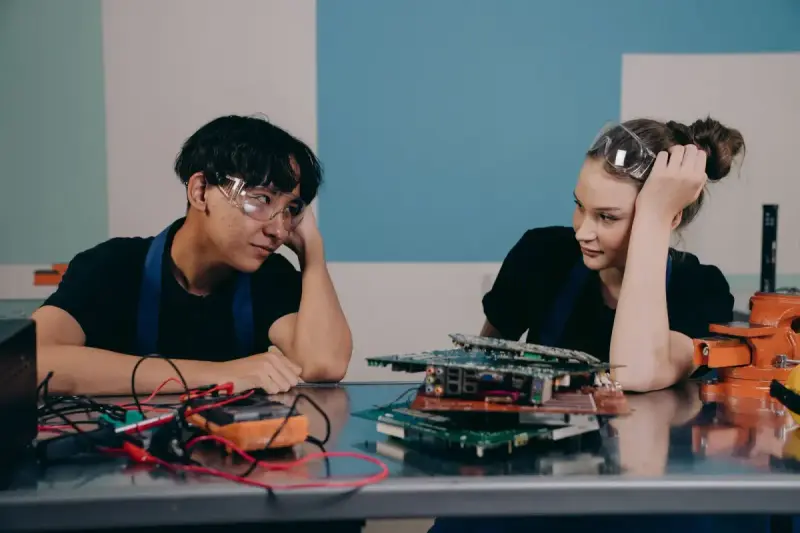 1
1Build the story around one scenario
A feature list gives a visitor too many places to start. We build the booth around one recognizable attack or compliance scenario, with the actor, the action and the result visible from the aisle, and keep the product screen for the evidence rather than as wallpaper.
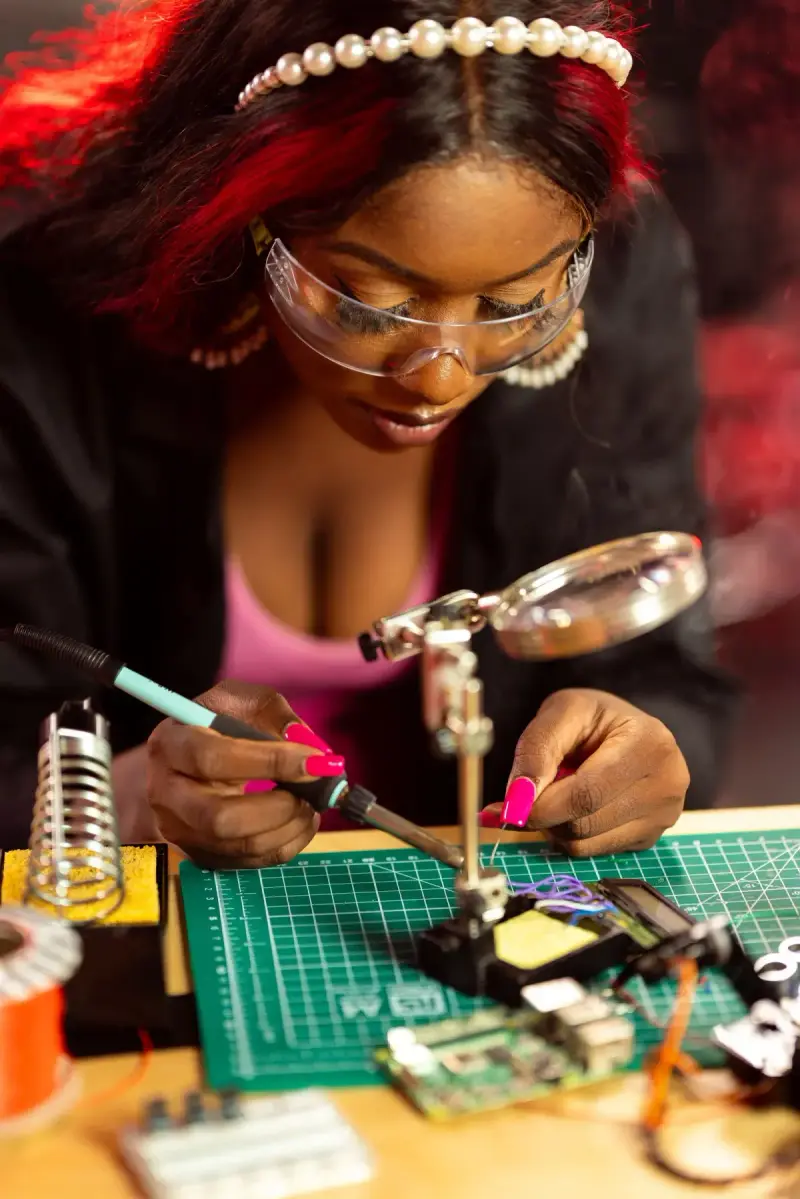 2
2Separate the intro from the deep dive
One long walkthrough blocks the next five introductions. We place a short aisle demo on the perimeter and one or two specialist stations deeper in, so an executive scanning the hall, an engineer evaluating and a partner arriving for a meeting each know where to go.
Make every screen readable standing up
Dense consoles are unreadable from a standing position, so we test every screen at aisle distance, use a large intro visual to orient people before the live system, and keep monitors facing the intended audience so no customer data is on show to the aisle.
Rehearse the demo environment first
We define the demo accounts, dataset, network dependencies and a repeatable reset before we draw the walls, then build an offline walkthrough and a fallback deck into the booth so a dropped Moscone connection never stops a conversation.
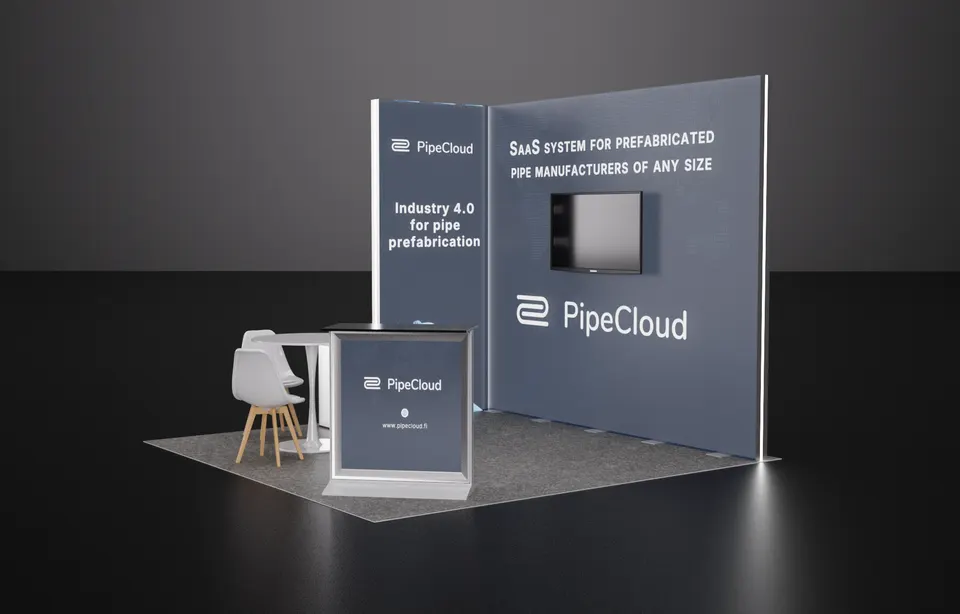
Concept rendering
Your RSAC proposal comes with a rendering like this
You see your RSAC booth in 3D before we cut a single panel: layout, graphics, lighting and product positions, revised until it is right. Above: a Purple concept for PipeCloud.
Start my RSAC concept05 Moscone Center · San Francisco
Logistics for RSAC 2027, handled
Moscone runs a union floor, so installation and dismantle are union work. Our planning rate for drayage is about $180 per hundredweight with a 200-pound minimum, and exhibit freight goes to the show contractor's advance warehouse under your hall and booth number, because a shipment addressed to 747 Howard St alone stalls at the dock. North and South Expo sit beneath Yerba Buena Gardens and connect; West is a short walk across 4th Street. We file the contractor orders, book your target, route the truck to the right dock and put your project manager on the floor. Your team stays at the Marriott Marquis, the Hilton Union Square or a Union Square hotel and walks over.
Hall rules, drayage estimates and freight deadlines for this building are in our Moscone Center exhibitor guide.
What Purple handles
- Exhibitor kit, contractor orders and target dates
- Hanging-sign rigging and union labor at Moscone
- AV mounts, screen placement and demo-station power
- Advance-warehouse freight and drayage paperwork for RSAC
- Installation and dismantle with union labor under your project manager, plus return shipping
- On-site project manager for all four show days
Your RSAC timeline, from move-in back
- Late January 2027Design sign-off; island drawings and hanging-sign details submitted for approval.
- February 2027Production in Fishkill, NY or Las Vegas, NV; graphics proofed against your brand files and screen layouts.
- Mid-March 2027Booth, counters and AV mounts ship to the show contractor's advance warehouse for RSAC.
- Early April 2027Targeted move-in at Moscone; your project manager leads the install, has the sign hung and runs the pre-show QA and demo rehearsal.
- April 5–8, 2027Show days; a Purple project manager is on call in San Francisco for the whole run.
- From April 8, 2027Dismantle after the final close, laptops and demo gear packed to your return plan, booth to storage or the next show.
Purple's planning timeline for RSAC. Move-in, freight target and order deadlines are set by the RSAC exhibitor kit and your assigned schedule; we confirm them for your booth once you book.
Print the RSAC budget & deadline sheetRSAC exhibitor questions
Questions exhibitors ask us before RSAC
How much does a 20×20 at RSAC cost?
A 20×20 custom island with a hanging sign and a meeting room runs $50,000 to $120,000, including design, build and install; a 20×20 rental island runs $16,000 to $40,000. A complete 10×20 rental with your graphics and two demo stations runs $7,500 to $15,000, and a 20×30 with two demo pods and a closed room runs $75,000 to $175,000.
Can you install at Moscone Center?
Yes. Moscone is a union floor, and our project manager runs a Bay Area union crew for installation and dismantle in North Expo and South Expo. We handle the contractor orders, the target date, rigging for hanging signs and the pre-show QA, so your team walks in to a finished booth.
Can we rent a booth for RSAC?
Yes. Rental structures with printed graphics, custom demo counters and a mix of the two are all available for RSAC. Most first-year RSAC exhibitors rent a 10×20 demo bar for $7,500 to $15,000, then move to a custom island with a meeting room once the show proves itself.
When do we need to decide?
Design sign-off by late January 2027 gives a 30 to 45 day build and a mid-March ship date to the advance warehouse. Later is possible with a rental structure; the trade-off is graphics lead time and freight cost, so book the concept by the end of 2026.
Do you handle the show contractor orders and drayage?
Yes. We order material handling, electrical, rigging and cleaning from the show contractor, route your freight to the advance warehouse, and cover drayage at our planning rate of about $180 per hundredweight with a 200-pound minimum. You get one invoice from us and one point of contact.
Before you sign for RSAC
Five questions to ask any exhibit builder for RSAC:
- Will the proposal show every RSAC fee, including show contractor charges?
- Who builds the RSAC booth: your own shop or a subcontractor?
- Who from your team is on the RSAC floor for install and dismantle?
- For RSAC, what is in the rental and what is billed by the show?
- Where does the booth go after RSAC, and what does storage cost?
Common situations
Already own a booth? We refresh its graphics, repair what is worn, ship and install it for RSAC, and store it between shows. You keep the structure you paid for and bring it to RSAC.
Exhibiting from outside the US? We are your team on the ground at the Moscone Center: freight to the advance warehouse, show-service orders, installation and storage, with one project manager on your emails in your time zone.
Short on time? A rental with your graphics can be ready for RSAC in two to three weeks. We tell you on the first call what is realistic for your date.
Get a proposal
Tell us about your RSAC booth
What happens next
- You get a reply within one business day, asking about your products, goals and footprint at RSAC.
- A concept rendering and a fixed proposal usually follow within a week. Every RSAC fee listed upfront, in full, on paper.
- We build in 30–45 days, ship to the RSAC advance warehouse and install before the hall opens.