

ISC West 2027 · April 5–9, 2027 · The Venetian Expo, Las Vegas
ISC West 2027 booth design & build in Las Vegas
Custom and rental exhibits for access control, video and connected security brands, built around a working door, a live camera scene and a platform screen an integrator can test. Venetian freight, rigging orders and installation run by your Purple project manager, with our Las Vegas hub fifteen minutes from the docks.
- April 5–9, 2027
- The Venetian Expo
No fee left off: every ISC West cost is listed upfront, on paper. Since 2015 · 10,000+ booths built · 3,000+ exhibitors served · 4.9★ client rating
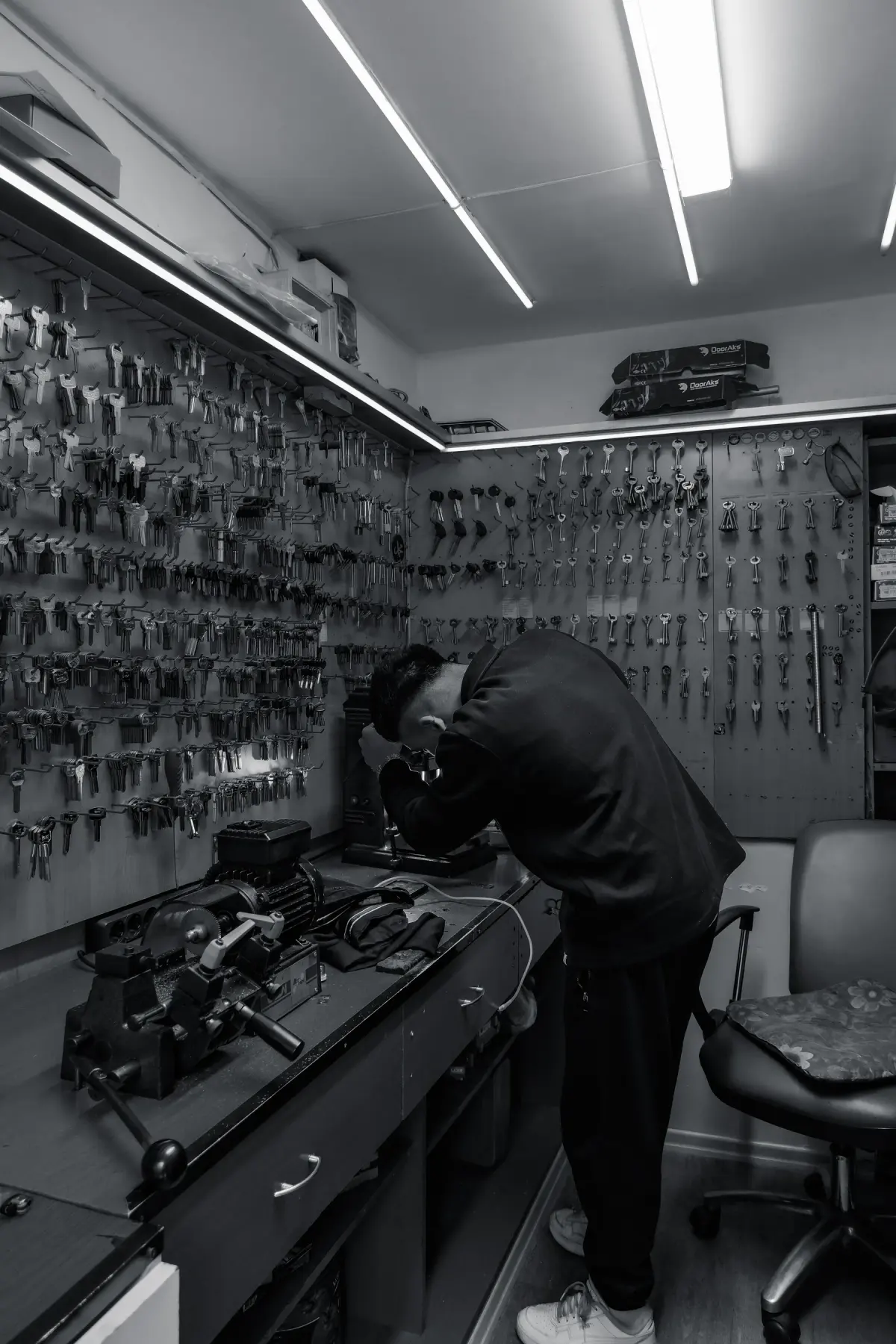
A locksmith works in a shop filled with keys in Istanbul
01 Purple at ISC West 2027
What makes ISC West different, and how we build for it
ISC West is the leading converged security event in the U.S., and the floor is built around hands-on proof. Buyers move between SIA Education@ISC sessions, the SIA New Products + Solutions Awards display, the ISC StartUps pavilion and the Security Experience Center, then walk the aisles looking for the reader, camera or platform they just heard about. The Cybersecurity & Convergence and Digital Trust & Identity themes pull IT buyers and physical security buyers into the same conversation, so a booth has to show hardware and software working together. RX reports attendees from 80+ countries with an average buying power of $1.1 million, so the people at your door can sign.
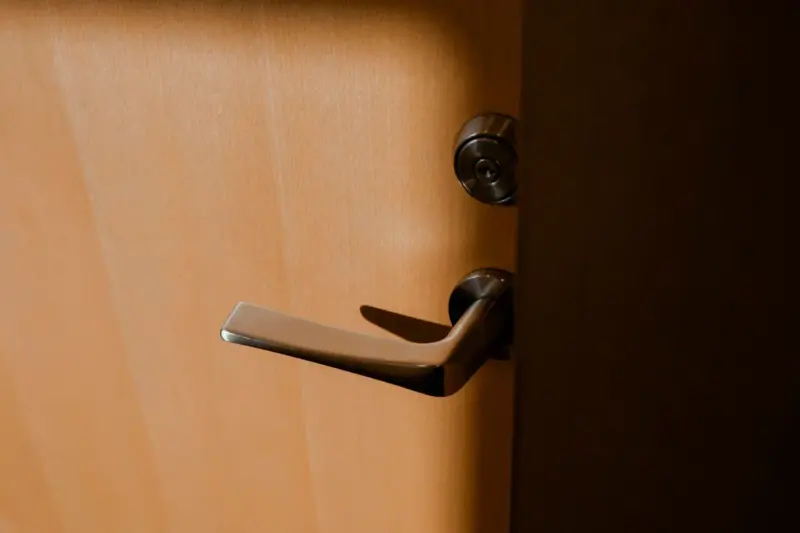
A working entrance where they can present a credential, watch the event land in the software and ask a specialist about mounting, wiring and integrations without blocking the aisle.
The everyday user experience: a door that opens, a camera view they can read standing up, and a short story about how the system behaves during an incident.
A second, quieter station with the platform screen, an integration diagram and someone who can talk identity, network and data handling in their language.
Your team in Las Vegas
Two shops, one project manager, every hall
Your ISC West booth is built in our own production shop in Fishkill, NY, or at our Las Vegas hub, shipped to the Venetian Expo and installed by vetted local labor with our own project manager on the floor. Turnaround is a predictable 30 to 45 days, with pre-show QA and secure storage for your ISC West booth.
Your staff walks onto the ISC West floor and the booth is already lit and stocked. You just show up.
02 Booths & pricing for ISC West 2027
Popular booth sizes at ISC West
ISC West floors run from 10×10 startups in the ISC StartUps pavilion to 40×40 islands from the camera and access-control majors, so an inline booth needs one working demonstration that reads from the aisle. Exhibitors here usually land between a 10×20 with a credential-to-camera station and a 20×30 island with separate access, video and platform stations.
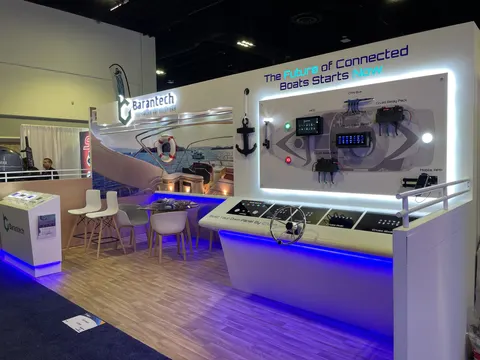
A credential-to-camera station on one end, a platform screen and integration diagram on the other, and standing room for two conversations.
Pictured: Barantech, a Purple inline booth
See 10×20 rental booths →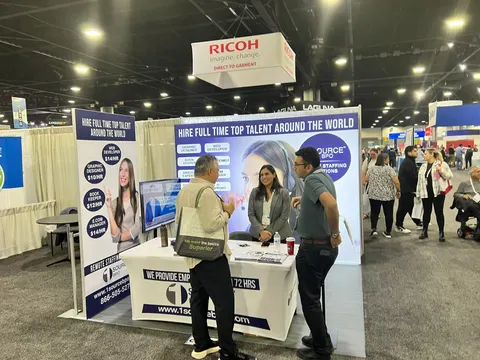
Door, camera and platform stop sharing one wall: a reader on a door panel, a lit test scene with its outcome screen, and a quieter third bay for the integration diagram and the IT conversation.
Shown: a Purple inline booth for 1 Source BPO
See 10×30 rental booths →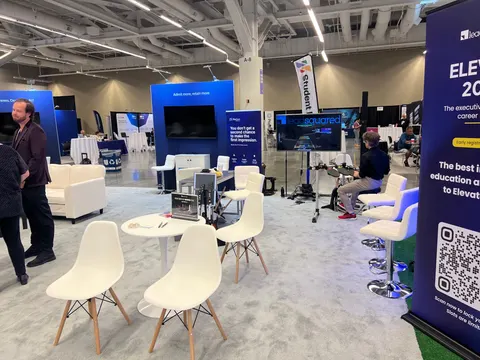
A working door assembly on a controlled demo edge, a lit camera test scene, a platform station and an open meeting table under a hanging sign.
Above: LeadSquared, a Purple island exhibit
See 20×20 rental booths →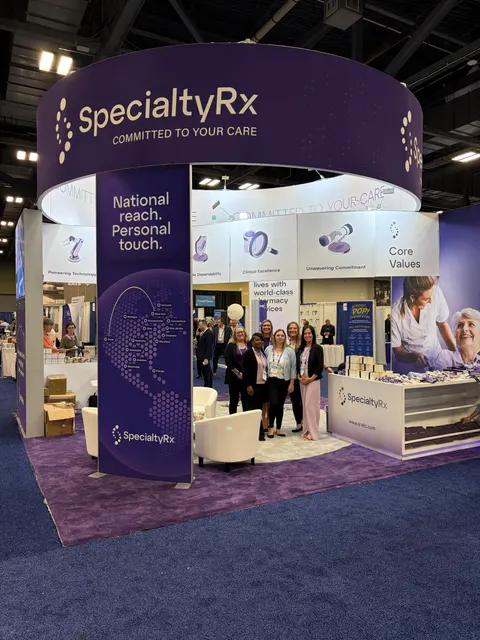
Independent access, video and connected-platform stations around a shared meeting area, an enclosed room for integrator pricing talks and equipment storage.
Pictured: SpecialtyRx, a Purple island exhibit
See 20×30 rental booths →In Purple's ISC West price
- Your design and 3D rendering, revised until it is right for ISC West
- Structure, graphics printed for ISC West, counters and storage as specified
- Lighting and power distribution inside your ISC West booth
- Installation and dismantle in Las Vegas, run by our project manager on the floor
- Show-service orders and deadlines for ISC West, tracked on your behalf
Billed by ISC West and its contractor
- Your ISC West booth space, paid to the organizer
- Drayage, or material handling, when it is not in the ISC West space rate
- Electrical service, internet and rigging
- Booth cleaning and any union labor the Venetian Expo requires
Before you sign, your proposal already estimates each of these show charges, so the ISC West total is on paper.
All-in 2026 rental ranges: design, structure, graphics, installation and dismantle are included, and custom ISC West builds are quoted per project. The booth cost calculator gives an exact number for your ISC West booth; the 2026 booth cost guide has the 2026 ranges.
Share the booth size you have at ISC West and what you need the space to do. A reply within one business day, then a ISC West rendering and fixed proposal, usually within a week. No charge.
03 Built by Purple
Our booths, designed, built and installed, to compare for ISC West
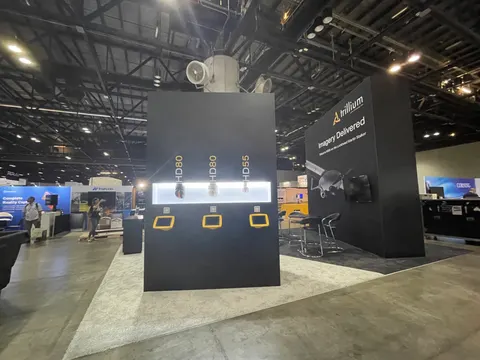
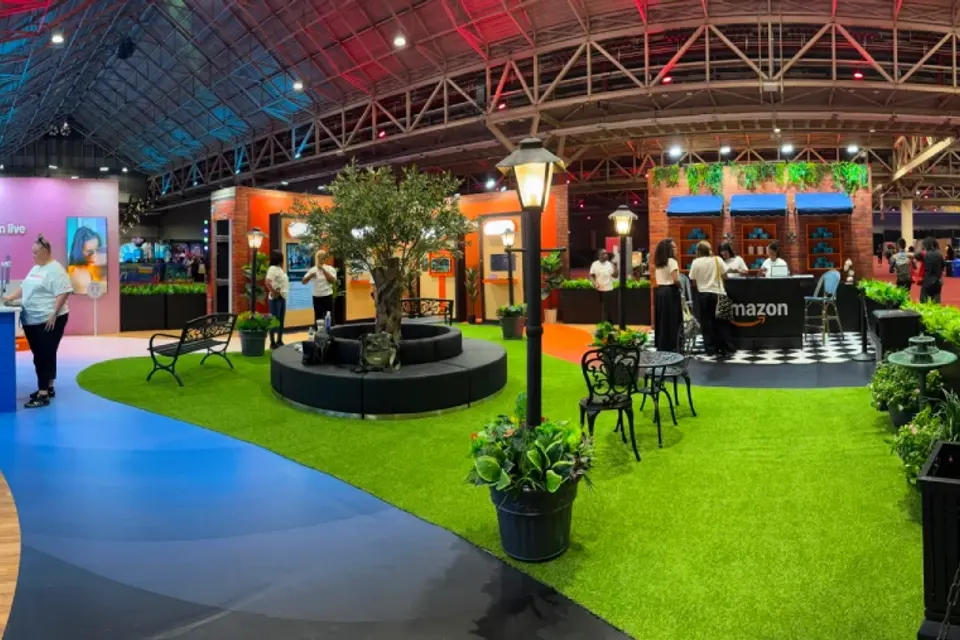
Case study · Amazon
Amazon at ESSENCE Festival of Culture, New Orleans
Amazon’s first ESSENCE Festival activation: a walk-through environment that welcomed hundreds of thousands of attendees across Prime Video, Amazon Live and Alexa.
Read the Amazon case study All case studies →“They handle everything end to end so clients can really just show up and not worry about anything. Doesn’t get any better than that.”
Tess Bockes, Exit King Realty · more client reviews
Trusted by exhibitors including






04 Designing for access control, video surveillance and connected security brands at ISC West
Four things we get right for ISC West exhibitors
 1
1Build the product fixture first
A reader mount, door swing and camera test scene decide the architecture, so we draw them before the brand walls and the meeting room. We record each device's weight, mounting height, power and connectivity, then build the enclosure and cable routes around them so nothing is bolted on late.
 2
2Design the camera scene, not the monitor wall
We pick a repeatable activity for the camera to watch and light it so the analytics result is obvious on screen. Reflective surfaces, colored spill light and a busy background go out of the field of view. One physical scene paired with one readable outcome screen beats a wall of feeds.
Two visitors, two demo depths
An integrator wants interfaces, mounting and event handling. A building owner wants to see the door open. We start both at the same entrance scenario and give your host a second technical station, so a long configuration discussion never takes over the only public demonstration.
Plan the reset and the offline mode
Spare credentials, demo devices and a reset routine live inside the station, and a host can return everything to a known state in seconds. We build in a controlled demo network and a switch to a recorded workflow, so the demonstration keeps running if the live connection drops.
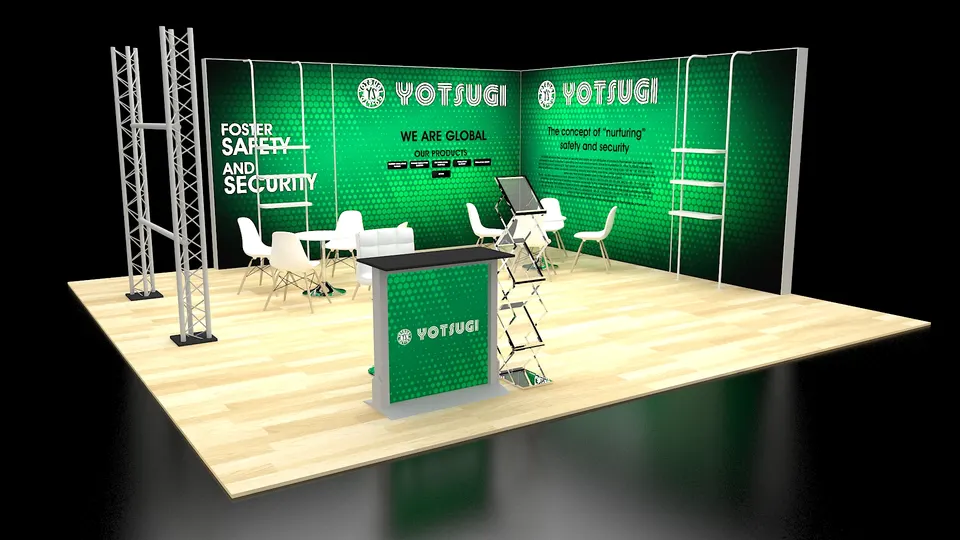
Concept rendering
Every ISC West proposal includes a rendering like this
See the ISC West booth in 3D first: layout, graphics, lighting and where products sit, revised until it is right and before any panel is cut. Above: a Purple concept for Yotsugi.
Start my ISC West concept05 The Venetian Expo · Las Vegas
Logistics for ISC West 2027, handled
The Venetian Expo is a union building inside a private resort: Teamsters Local 631 handles material handling, IATSE Local 720 covers rigging and AV, and rigging, electrical, internet and cleaning are venue-exclusive. All freight comes through the Koval Lane docks, direct trucks wait in an off-site marshaling yard for their target time, and Level 2 booths ride the freight elevators, so we size every crate to clear them. We read the ISC West exhibitor kit, file our EAC certificate with the show and the resort, book your move-in targets with the show contractor, ship to the advance warehouse two weeks ahead, engineer and order your hanging sign, and keep spare hardware at our Las Vegas shop fifteen minutes away.
Hall rules, drayage estimates and freight deadlines for this building are in our Venetian Expo exhibitor guide.
What Purple handles
- Exhibitor kit, show contractor orders, target dates and EAC filing with the Venetian
- Structural drawings for door assemblies, camera poles and equipment enclosures
- Hanging sign engineering and venue rigging orders
- Graphics printed in house with overnight reprints from our Las Vegas shop
- Freight to the advance warehouse, drayage paperwork and empty storage
- Installation and dismantle directed by your Purple project manager; return shipping too
Your ISC West timeline, from move-in back
- Late January 2027Design sign-off, device list locked, island drawings and hanging-sign specs submitted.
- February 2027Production in Fishkill, NY; door assemblies, camera fixtures and enclosures test-fit with your real hardware.
- Mid-March 2027Booth ships to the advance warehouse in Las Vegas; demo network and screens configured with your product team.
- April 4–6, 2027Targeted move-in through the Koval Lane docks; your Purple project manager leads the install, powers up and runs the demo checklist.
- April 7–9, 2027Show days; a Purple project manager is on call from hall open to the last reception.
- April 9–10, 2027Dismantle, demo hardware packed to your return plan, booth to storage or the next show.
Purple's planning timeline for ISC West. Official move-in, freight target and order deadlines for ISC West come from your exhibitor kit and assigned schedule; we confirm them against your booth when you book.
Print the ISC West budget & deadline sheetISC West exhibitor questions
Questions exhibitors ask us before ISC West
How much does a 20×20 at ISC West cost?
A 20×20 island rental with your graphics runs $16,000 to $40,000 and a custom 20×20 runs $50,000 to $120,000, covering design, structure, graphics and installation. Working door assemblies, a demo network and enclosed meeting space move the number; send us your device list and we return a fixed quote.
Can you install at The Venetian Expo?
We install there as your Exhibitor Appointed Contractor, filed with both ISC West and the Venetian. We order the venue-exclusive rigging and electrical, and your Purple project manager runs install and dismantle with the labor the Venetian requires. Our Las Vegas hub is fifteen minutes from the Koval Lane docks for overnight reprints, spare hardware and empty-crate storage.
Can we rent a booth for ISC West?
Yes. A 10×20 rental with your graphics lands between $7,500 and $15,000 and a 10×30 between $12,000 and $22,000. Rental architecture pairs well with a custom demo counter or door panel you keep for the next show, which is how most first-time ISC West exhibitors start with us.
When do we need to decide?
Design sign-off in late January gives a comfortable 30 to 45 day build and a mid-March ship date to the advance warehouse. Later is possible, but the trade-off is finish choices and freight cost, and demo hardware needs to be in our shop by mid-February for test fitting.
Do you handle the show contractor orders and drayage?
Yes. We read the ISC West exhibitor kit, place the material handling, labor and target-date orders with the show contractor, ship to the advance warehouse so your freight is on the booth before the crew arrives, and keep you copied on every deadline so nothing depends on a form you did not know about.
Before you sign for ISC West
Five things to ask every builder quoting ISC West:
- Is every fee on the proposal, including what the ISC West show contractor bills?
- Who actually builds it for ISC West: your shop or a subcontractor?
- Will your own project manager be at ISC West for install and dismantle?
- For ISC West, what is in the rental and what is billed by the show?
- Once ISC West closes, where does the booth go and what does storage cost?
Common situations
Already own a booth? We refresh the graphics, repair what is worn, ship it to the Venetian Expo, install it and store it between shows. You keep the structure you paid for and bring it to ISC West.
Exhibiting from outside the US? We are your team on the ground in Las Vegas: freight to the advance warehouse, show-service orders, installation and storage, with one project manager answering your emails in your time zone.
Short on time? A ISC West rental carrying your graphics can be ready in two to three weeks. On the first call, we tell you what is realistic for ISC West.
Get a proposal
Tell us about your ISC West booth
What happens next
- You get a reply within one business day, asking about your products, goals and footprint at ISC West.
- Your ISC West concept rendering and fixed proposal usually arrive within a week. Every ISC West fee listed upfront, in full, on paper.
- We build in 30–45 days, ship to the advance warehouse and install before the hall opens.


