

HIMSS 2027 · April 5–8, 2027 · McCormick Place, Chicago
HIMSS 2027 booth design & build in Chicago
Custom and rental exhibits for healthcare IT and digital health companies, built around live software demos and private buyer conversations. Demo stations wired and tested, hanging signs engineered for McCormick Place, and drayage and labor handled by your Purple project manager.
- April 5–8, 2027
- McCormick Place
Every HIMSS fee listed upfront, in full, on paper. 10,000+ booths built · 3,000+ exhibitors served · 4.9★ client rating · Since 2015
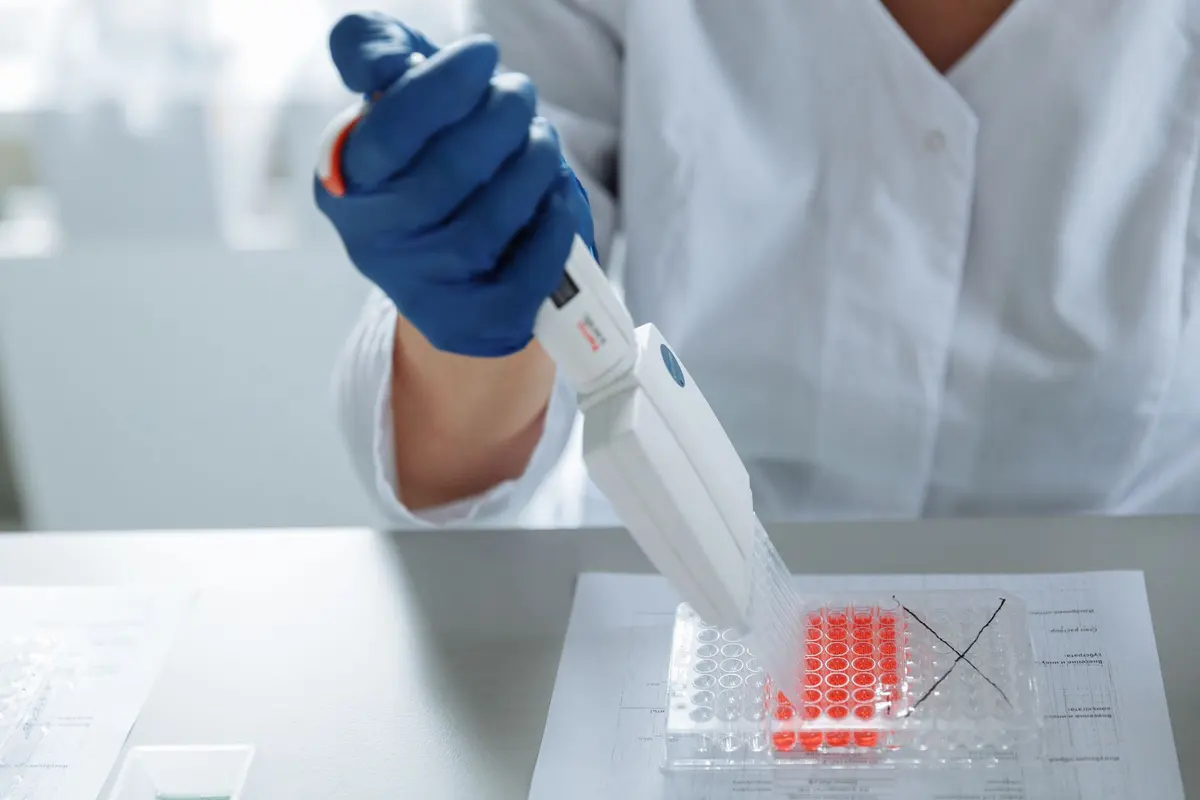
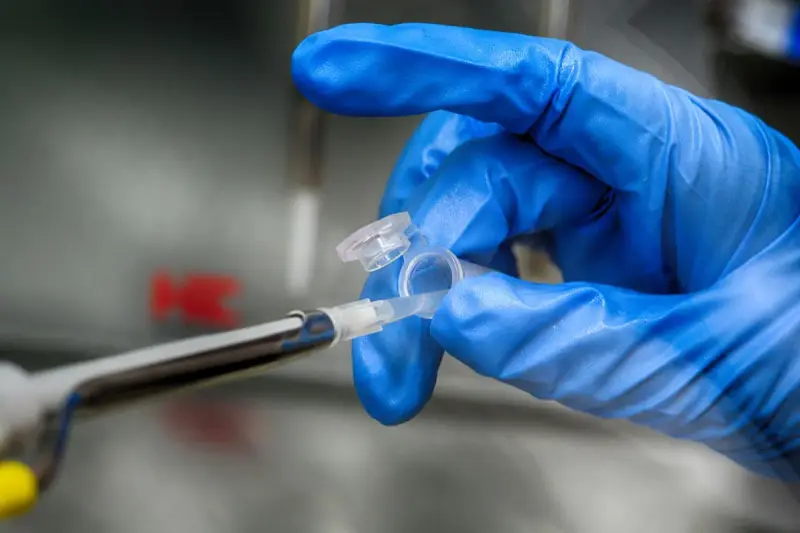
Loading a 96-well assay plate
01 Purple at HIMSS 2027
What makes HIMSS different, and how we build for it
HIMSS27 is the first Chicago edition after Las Vegas, and it is a working show. The Executive Summit, the Preconference Forums and the Hosted Buyer Program put CIOs and procurement teams into scheduled meetings, while the Specialty Pavilions and Workforce ConneXtions pull the wider floor through the exhibition. The HIMSS27 Vital Voices influencer program and the Emerging Healthcare Leaders Poster Presentations bring a younger, content-hungry crowd. Buyers arrive with an interoperability, AI or cybersecurity question already in mind. A booth that runs a clear workflow demo from the aisle and holds a private conversation two steps inside wins the hosted buyer and the walk-up at the same time.
A short, credible view of integration and outcomes, then a closed meeting space where pricing and rollout can be discussed without an audience.
Hands-on time with the interface in a recognizable workflow, at counter height, with a specialist who can answer point-of-care questions.
Architecture graphics, API and standards detail, and a station where an engineer can dig into dependencies while the main demo keeps moving.
Your team in Chicago
One project manager, two shops, the whole HIMSS build
We build in our own production shop in Fishkill, NY, and our Las Vegas hub, ship to McCormick Place, and install with our own project manager on the floor and vetted local labor. Every HIMSS build runs a predictable 30 to 45 days and gets a pre-show QA, with secure storage after.
At HIMSS, your team walks into a booth that is lit and stocked. You just show up.

02 Booths & pricing for HIMSS 2027
Popular booth sizes at HIMSS
HIMSS floors are led by large islands from the EHR vendors, cloud platforms and consultancies, with dense rows of 10×10 and 10×20 inlines from digital health companies. Exhibitors here usually land between a 10×20 with two demo stations and a 20×30 island with a meeting room and a hanging sign.

Two demo stations with separate scenarios, a lead capture counter and a small table for a follow-up conversation.
Above: Eagle Chemical, a Purple inline booth
See 10×20 rental booths →
Lay the patient journey along the aisle: point of use in one bay, the data handoff in the next, and the integration view with a stakeholder table set deep in the third.
Shown: SpecialtyRx, a Purple inline booth
See 10×30 rental booths →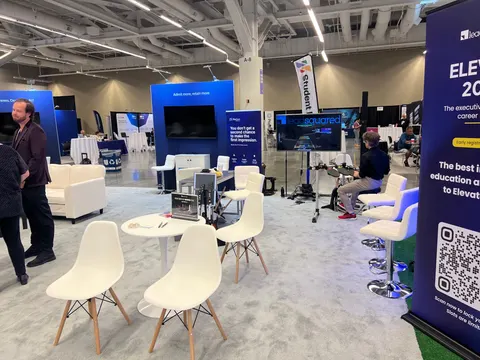
Three or four demo pods around an open floor, an enclosed meeting room and a hanging sign visible across the hall.
Shown: LeadSquared, a Purple island exhibit
See 20×20 rental booths →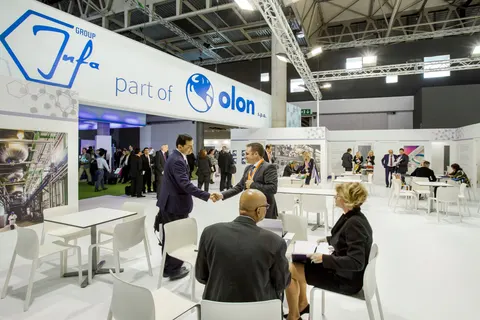
A presentation theater with seating, multiple product zones, private meeting suites, storage and a hospitality bar for hosted buyers.
Pictured: Olon / Infa Group, a Purple large-format exhibit
See 20×30 rental booths →In Purple's HIMSS price
- Your design and 3D rendering, revised until it is right for HIMSS
- Structure, graphics printed for HIMSS, counters and storage as specified
- Booth lighting, with power distributed inside the booth
- Install and dismantle at HIMSS, led by our project manager on the floor
- Tracking of every show-service order and deadline
Billed by HIMSS and its contractor
- Booth space, paid to HIMSS and Informa Markets
- Material handling (drayage) at McCormick Place, where the space rate does not include it
- Electrical, internet and rigging orders for HIMSS
- Booth cleaning, and union labor where McCormick Place requires it
Before you sign, your proposal already estimates each of these show charges, so the HIMSS total is on paper.
Ranges shown are all-in 2026 rental prices for design, structure, graphics, installation and dismantle at HIMSS; custom builds get their own quote. For an exact HIMSS figure, try the booth cost calculator; the 2026 booth cost guide has the ranges.
Send your HIMSS booth size and what the space needs to do for your team. Expect a reply within one business day and, usually within a week, a rendering and a fixed proposal for HIMSS. No charge.
03 Built by Purple
Booths we have designed, built and installed
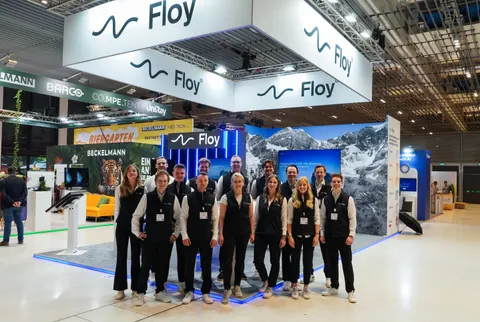
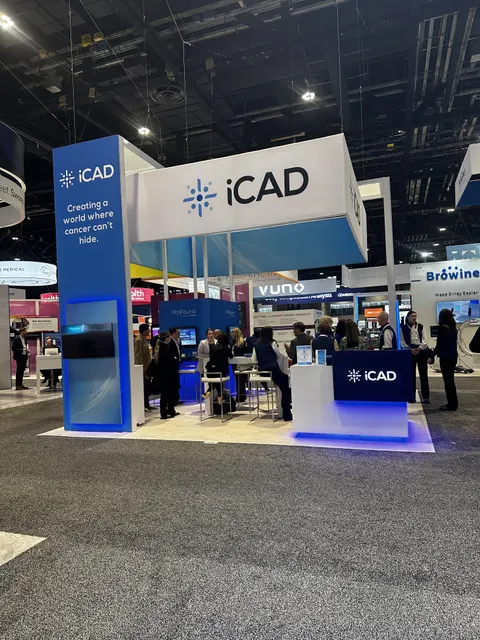
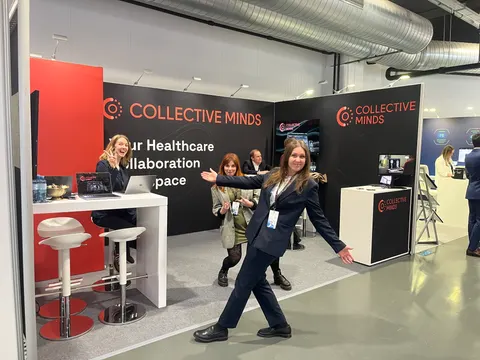
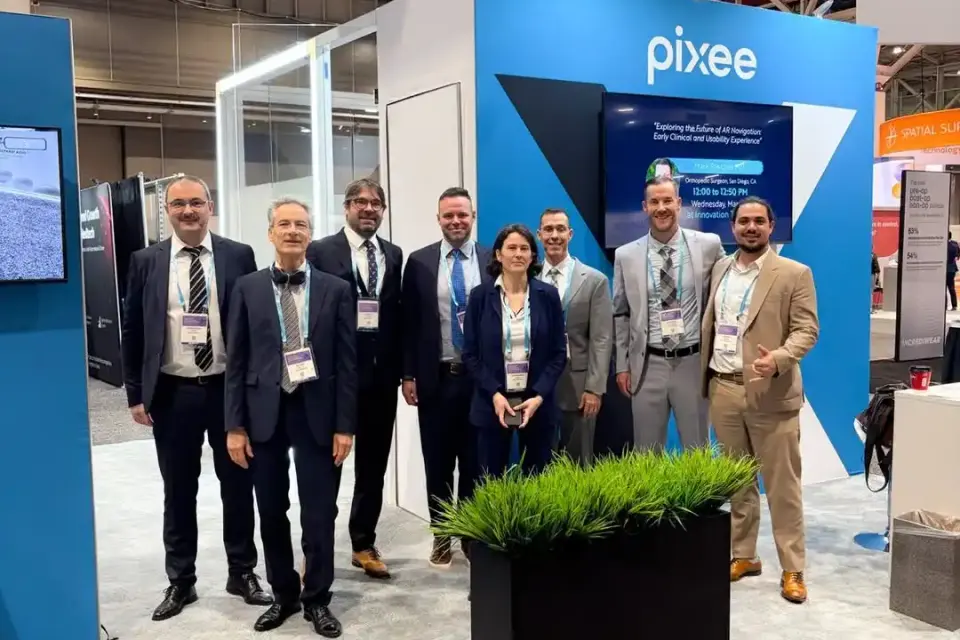
Case study · Pixee Medical
Pixee Medical at a medical technology congress
Built around demos of augmented-reality surgical guidance: a focused booth where every visitor could try the technology and traffic kept moving.
Read the Pixee Medical case study All case studies →“From start to finish, their team was professional, responsive, and incredibly easy to work with. They designed and built a beautiful trade show exhibit that exceeded my expectations and helped our company stand out. We received many compliments on our booth.”
Yossi Mouskup, Senior Insurance Broker, IGI Insurance Agency · more client reviews
Trusted by exhibitors including






04 Designing for healthcare IT and digital health companies at HIMSS
Four things we get right for HIMSS exhibitors
 1
1Build the demo around one workflow
We lay out the booth as a patient journey: point of use at the aisle, the data handoff in the middle, the integration view inside. Visitors follow the story from station to station instead of reading a wall of features, and recorded and live segments join without a visible break.
 2
2Power, network and a fallback route
Every station gets its own circuit, hard-wired data where the venue allows it, and a recorded version of the same demo on local storage. We list every dependency, accounts, screens, connected devices, charging and content, and your Purple project manager runs the whole sequence before doors open.
Separate the clinician from the CIO
A nurse starts at the interface and an executive starts at the outcomes slide. We give each an entry point at counter height, keep quick demos near the aisle, and put the shared stakeholder table deep enough in the booth that a private conversation stays private.
Serviceable AV and device storage
Cable chases, lockable device storage and rear access panels let us troubleshoot a screen or swap a device without dismantling the visitor-facing display. Approved demo data and clearly labelled simulated segments keep your clinical reviewers comfortable with what is on screen.
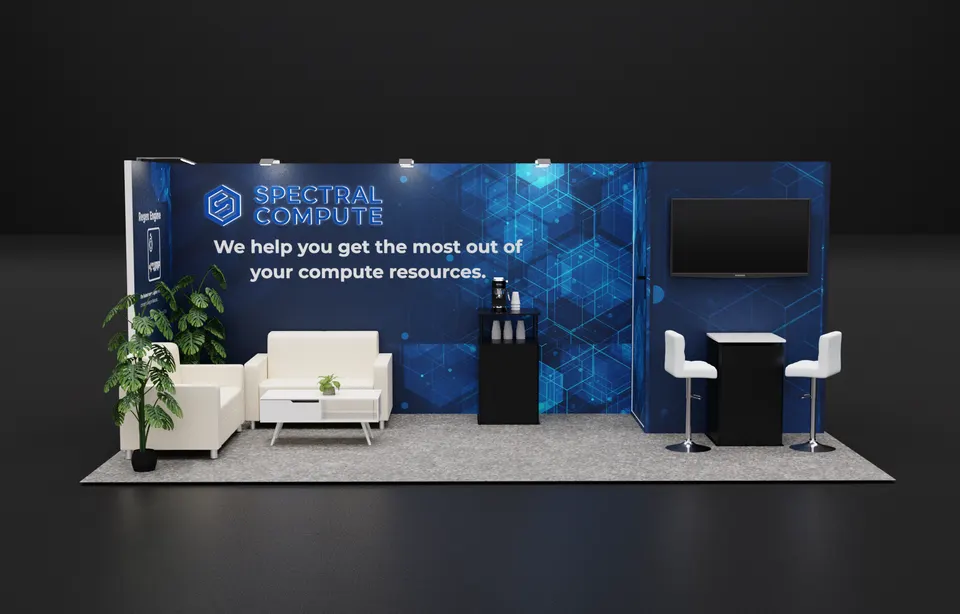
Concept rendering
Every HIMSS proposal includes a rendering like this
See the HIMSS booth in 3D first: layout, graphics, lighting and where products sit, revised until it is right and before any panel is cut. Pictured: a Purple concept for Spectral Compute.
Start my HIMSS concept05 McCormick Place · Chicago
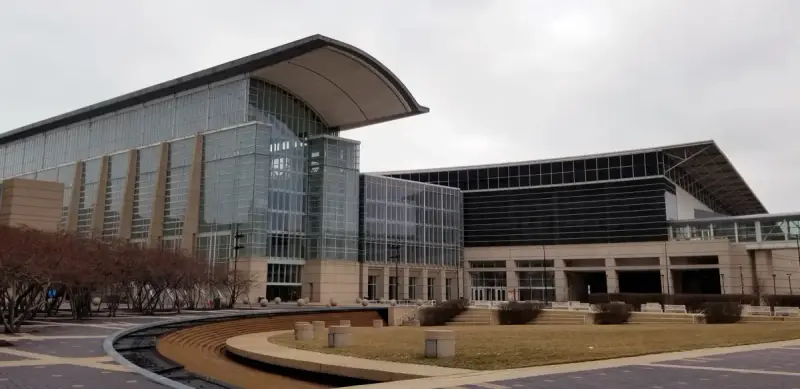
Logistics for HIMSS 2027, handled
McCormick Place is a union building, and we plan every booth around its labor rules. Since the 2010 MPEA reforms your own full-time staff can assemble a booth of any size, but everything heavier than a 30-pound hand carry crosses the dock as Teamster drayage, billed by weight, about $210 per hundredweight with a 200-pound minimum and 25 to 35 percent surcharges for late, off-target or uncrated freight. We keep that number down with aluminum frame systems, crated components and one consolidated shipment from our Midwest carrier to the advance warehouse. Each building has its own dock, so we address freight by building, hall and booth number, and we book rooms at the Hyatt Regency McCormick Place and Marriott Marquis Chicago, both connected by skywalk.
This building's hall rules, drayage estimates and freight deadlines for HIMSS exhibitors are in our McCormick Place exhibitor guide.
What Purple handles
- Exhibitor kit, service orders and target move-in dates
- Hanging sign engineering and rigging orders
- AV integration, power, data and demo testing
- Freight to the HIMSS advance warehouse and drayage paperwork
- Installation and dismantle directed by your project manager
- Hosted buyer meeting rooms and hospitality
Counted back from move-in
- Late January 2027Design sign-off; island, hanging sign and demo station drawings finalized for filing.
- February 2027Production in our shop; AV rack built and screens tested with your demo content.
- Mid-March 2027Booth ships crated with our Midwest carrier to the Chicago advance warehouse on target.
- Early April 2027Move-in at McCormick Place on your target date; your project manager oversees the union install and wiring, then runs the demo checklist.
- April 5–8, 2027Preconference Monday, exhibition Tuesday to Thursday; a Purple project manager is on site.
- April 8–9, 2027Dismantle, devices packed to your return plan, booth to storage or the next show.
Purple's planning timeline for HIMSS. The official HIMSS move-in, freight target and order dates come from your exhibitor kit and assigned schedule; when you book, we confirm them against your booth.
Printable HIMSS budget & deadline sheetHIMSS exhibitor questions
Questions exhibitors ask us before HIMSS
How much does a 20×20 at HIMSS cost?
A 20×20 island rental lands between $16,000 and $40,000 and a custom 20×20 between $50,000 and $120,000, covering design, structure, graphics, AV integration and installation. Demo screens, a meeting room and a hanging sign move the number; send us your product list and we return a fixed quote.
Can you install our booth at McCormick Place?
Yes, we install at McCormick Place throughout the year: we know the four buildings and their docks, and your Purple project manager handles the union labor, rigging and drayage rules. The union labor installs and wires every demo station under your project manager, who tests each one before your team arrives on Monday.
Can we rent a booth for HIMSS?
Yes. Rental structures with your graphics, custom demo counters, or a hybrid of the two are all available. A complete 10×20 rental runs $7,500 to $15,000, and many first-time HIMSS exhibitors start there and add a second demo station the following year.
When do we need to decide?
Design sign-off by late January gives us a comfortable 30 to 45 day build and a mid-March ship date to the advance warehouse. Later is possible; the trade-off is choice of finishes, rigging deadlines and higher freight cost for anything that arrives off target.
Do you handle the drayage and service orders in Chicago?
Yes. We read the HIMSS27 exhibitor kit, file the booth forms, order electrical, rigging and material handling, and consolidate your freight into one crated shipment so drayage is billed once. You are copied on every order and deadline.
Ask these before you sign
Ask any HIMSS exhibit builder these five questions:
- Are all fees on paper, including what the contractor at McCormick Place bills?
- Who builds the HIMSS booth: your own shop or a subcontractor?
- Does your project manager stay on the floor through install and dismantle in Chicago?
- What exactly is in the rental, and what does HIMSS bill?
- What happens to the booth after HIMSS, and what does storage cost?
Common situations
Already own a booth? Your existing booth gets refreshed graphics and repairs, then we ship it to Chicago, install it and store it between shows. You keep the structure you paid for.
Exhibiting from outside the US? Freight to the advance warehouse, show-service orders, installation and storage are ours to run, and one project manager answers your emails in your time zone.
Short on time? Rentals with your graphics can be ready in two to three weeks. We tell you on the first call what is realistic for your date.
Get a proposal
Tell us about your HIMSS booth
What happens next
- We reply within one business day with questions about your products, goals and HIMSS footprint.
- You get a concept rendering and a fixed proposal for HIMSS, usually within a week. Every HIMSS fee listed upfront, in full, on paper.
- In 30–45 days we build it, ship it to the advance warehouse and install it before the hall opens.