

Sensors Converge 2027 · June 8–10, 2027 · Santa Clara Convention Center, Santa Clara
Sensors Converge 2027 booth design & build in Santa Clara
Custom and rental exhibits for sensor, embedded and edge AI companies, built around a working demo an engineer can try in thirty seconds. Demo counters with cable and service access, magnified component displays, quiet integration tables, and freight, drayage and installation led by your Purple project manager.
- June 8–10, 2027
- Santa Clara Convention Center
No fee left off: every Sensors Converge cost is listed upfront, on paper. Since 2015 · 10,000+ booths built · 3,000+ exhibitors served · 4.9★ client rating
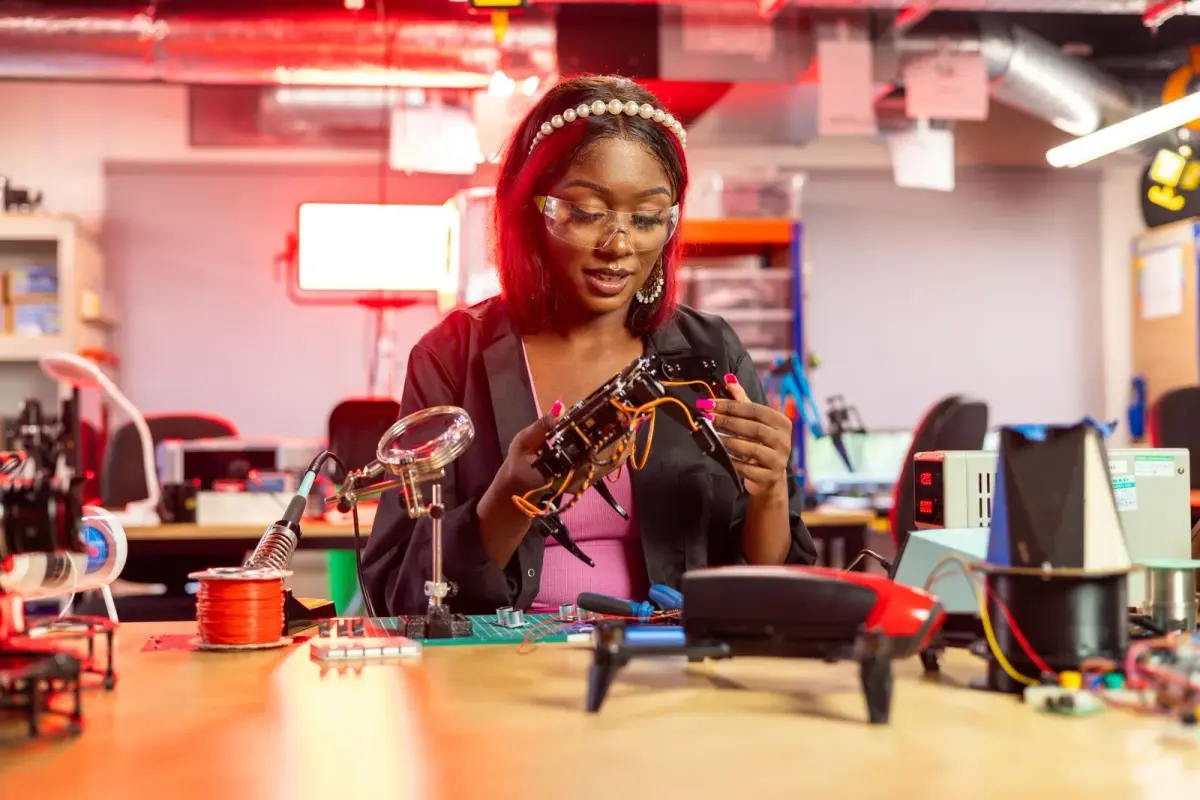
A woman works with a small drone and electronic components at a workbench
01 Purple at Sensors Converge 2027
What makes Sensors Converge different, and how we build for it
Sensors Converge is where component engineers meet the people who design their parts into products. The floor is built for hands-on evaluation: the EDGE AI FOUNDATION Pavilion, the Dev Kit Zone where visitors pick up boards, the Startup Zone and the Fierce Sensors Rising Stars awards all pull traffic toward things that work. The Women In Sensors Engineering (WISE) program and the OEM/End-User Program bring buying teams onto the floor, and 100+ speakers across 80+ sessions run beside a two-day expo. Visitors are engineers, so a booth wins by putting a working sensor, its input and its output in one field of view, with a specialist ready for the integration question that follows.
A repeatable demo they can operate themselves, readable output on a screen beside the device, and datasheets, evaluation boards and a laptop-friendly surface within reach.
A clear system story from sensing to processing to connectivity, proof of roadmap and supply, and a seated table where an application can be discussed away from the demo queue.
Application examples in their own market, a quick way to find the relevant use case, and staff who can move from a two-minute demo to a qualification conversation.
Your team in Santa Clara
From our two shops to the Sensors Converge floor
Production happens in our own shop in Fishkill, NY, and at our Las Vegas hub, and we ship to the Santa Clara Convention Center and install with vetted local labor, led by our own project manager on the floor. Expect a 30–45-day build for Sensors Converge, secure storage and a pre-show QA.
When your team gets to Santa Clara, the booth is lit and stocked. You just show up.
02 Booths & pricing for Sensors Converge 2027
Popular booth sizes at Sensors Converge
Sensors Converge is a compact, engineer-dense floor with 200+ exhibitors, so inline booths of 10×10 and 10×20 are the majority and a 20×20 island reads as a category leader. Exhibitors here usually choose a 10×20 with two linked demo stations or a 20×20 with a hanging sign, three stations and a meeting table.
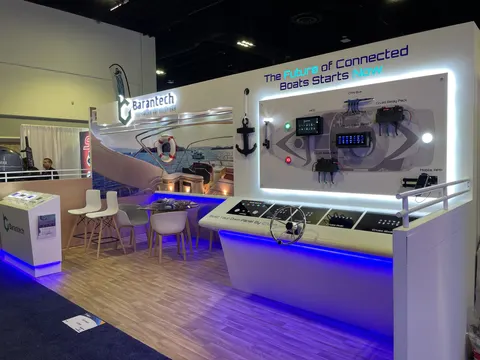
Two linked stations, component and application, a dev kit display visitors can handle and a small table for integration questions.
Shown: Barantech, a Purple inline booth
See 10×20 rental booths →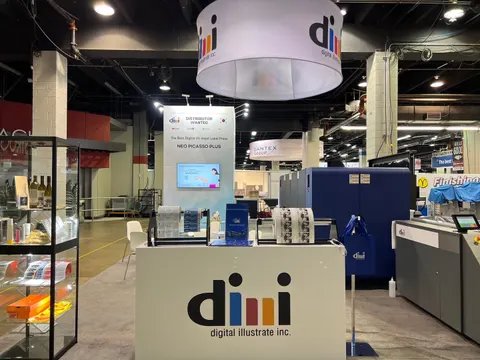
The third bay gives the dev kit display its own table, so boards, datasheets and a laptop-friendly surface sit apart from the two linked demo stations and the queue stays off the aisle.
Above: dmi digital illustrate inc., a Purple inline booth
See 10×30 rental booths →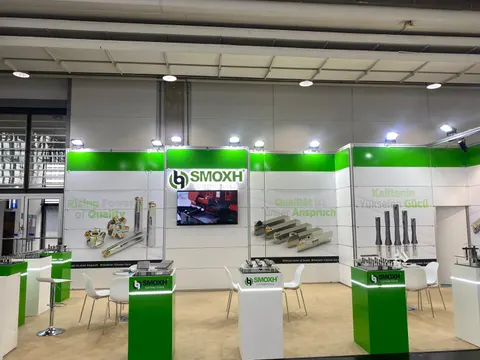
Three or four demo stations grouped around a system diagram under a hanging sign, a seated technical meeting area and service storage behind the wall.
Shown: SMOXH, a Purple island exhibit
See 20×20 rental booths →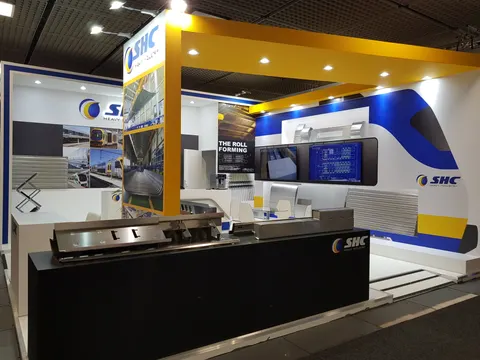
Multiple application zones for different markets, a live edge AI demo theater, private meeting room and a workbench for evaluation hardware.
Above: SHC Heavy Industry, a Purple island exhibit
See 20×30 rental booths →In Purple's Sensors Converge price
- Design and a 3D rendering for Sensors Converge, revised until it is right
- The structure, printed graphics, counters and storage your Sensors Converge plan specifies
- Lighting and power distribution inside your Sensors Converge booth
- Installation and dismantle in Santa Clara, run by our project manager on the floor
- Show-service orders and deadlines for Sensors Converge, tracked on your behalf
What Sensors Converge and its contractor bill
- Your Sensors Converge booth space, paid to the organizer
- Material handling / drayage, if the Sensors Converge space rate leaves it out
- Electrical service, internet and rigging at the Santa Clara Convention Center
- Booth cleaning and any union labor the venue requires
Before you sign, your proposal already estimates each of these show charges, so the Sensors Converge total is on paper.
Prices are all-in 2026 rental ranges for design, structure, graphics, installation and dismantle; custom builds are quoted per project. Want an exact number for Santa Clara? Use the booth cost calculator or the 2026 booth cost guide.
Send us your booth size for Sensors Converge and what the space needs to do. Our reply comes within one business day; the rendering and fixed proposal usually arrive within a week. No charge.
03 Built by Purple
Built by our team: booths to compare for Sensors Converge
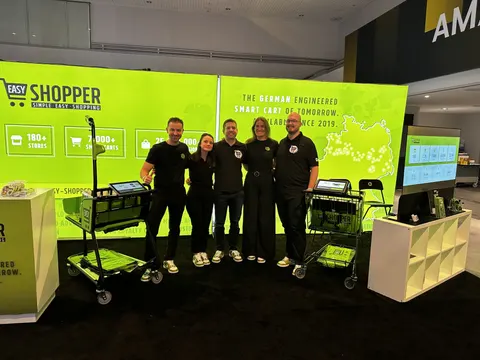
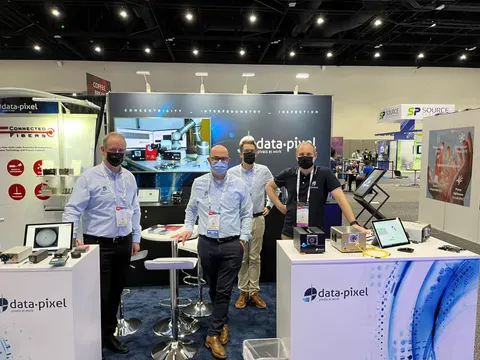
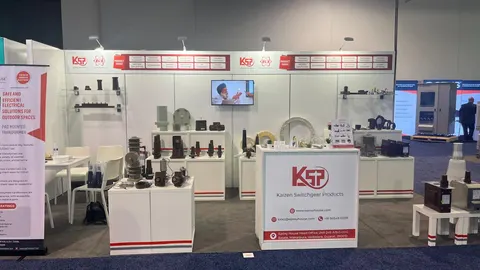
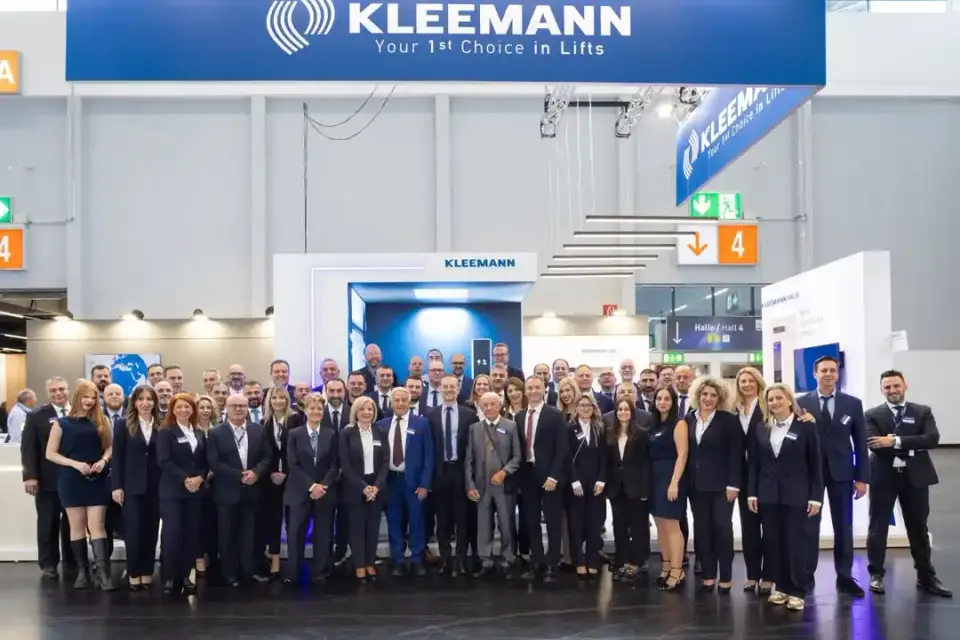
Case study · KLEEMANN
KLEEMANN at an industrial technology exhibition
Digital simulations, real product showcases and a floor plan that guided visitors from first step to last, in an interactive booth for a global elevator manufacturer.
Read the KLEEMANN case study All case studies →“If you’re looking for a trade show booth expert who shows up and gets the job done right, Purple Exhibits is the real deal.”
Magdalena Kulisz, Service Manager, Miss Immigrant USA · client reviews
Trusted by exhibitors including






04 Designing for sensor, embedded systems and edge AI companies at Sensors Converge
Four things we get right for Sensors Converge exhibitors
 1
1Input, measurement, result in one view
A sensor on a shelf explains nothing. We build each station so the visitor creates the input, sees the component in an enlarged diagram and reads the output on a screen beside it, with the test conditions labeled. The relationship is obvious before your specialist says a word.
 2
2Magnify the part that matters
Boards and MEMS packages are too small to read from the aisle. We pair the real hardware with magnified imagery, restrained labels and stable fixtures, and design a separate surface for datasheets, evaluation kits and the detailed integration conversation.
Engineer the demo for a ten-hour day
Fixtures, cable routes, controls, reset procedure and staff-only zones go into the brief. We build service access so your team can swap a board or restart a demo without dismantling the visible exhibit, and we plan power and data drops for every station.
Tune the demo under booth conditions
A measurement that behaves in the lab can drift under show lighting and aisle traffic. We light the stations first, then leave calibration time in Santa Clara after counters, screens and AV are in their final positions so your engineers tune the demo in place.
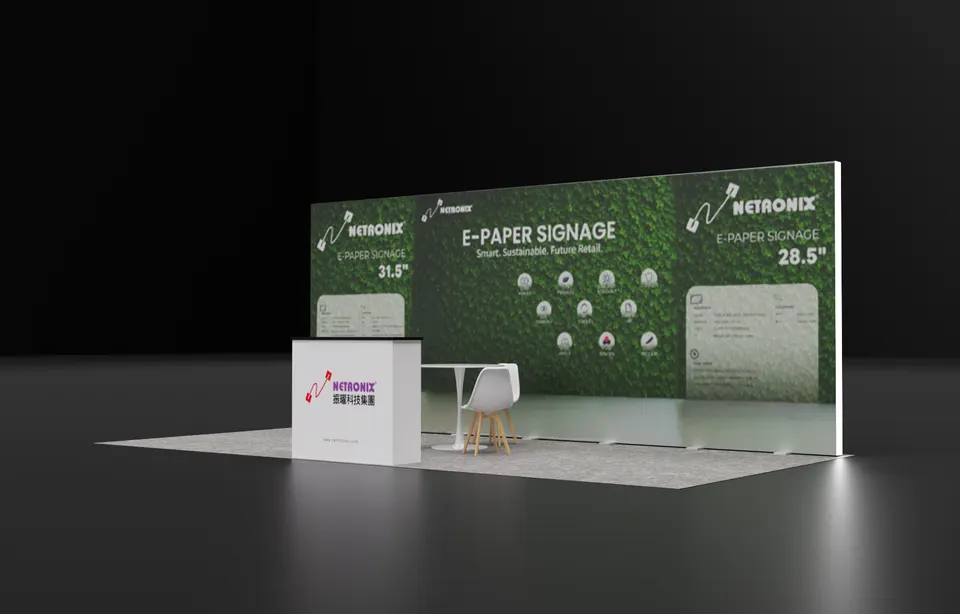
Concept rendering
Every Sensors Converge proposal includes a rendering like this
See the Sensors Converge booth in 3D first: layout, graphics, lighting and where products sit, revised until it is right and before any panel is cut. This one is a Purple concept for Netronix.
Start my Sensors Converge concept05 Santa Clara Convention Center · Santa Clara
Logistics for Sensors Converge 2027, handled
The Santa Clara Convention Center sits on Great America Parkway in the middle of Silicon Valley, with a compact hall and a two-day expo that leaves no slack for a slow install. Delicate boards, probes and instruments need a planned crate sequence, and the floor opens at 10:00 am on June 9, so calibration happens before the doors open. We read the exhibitor kit, order electrical and internet drops for every demo station, ship to the advance warehouse, book your freight targets, handle drayage paperwork and put our own project manager on the floor with Bay Area labor for installation and dismantle. You arrive to a booth that is powered, lit and ready for your engineers.
What Purple handles
- Exhibitor kit, service orders and freight target dates
- Demo counters engineered around your fixtures, cabling and reset procedure
- Graphics and magnified component imagery printed in house
- Drayage paperwork and freight to the advance warehouse
- Install and dismantle with Bay Area labor under your Purple project manager; return shipping included
Sensors Converge timeline, counted back from move-in
- Late March 2027Design sign-off, demo station equipment list locked, island drawings submitted where required.
- April 2027Production in Fishkill, NY or Las Vegas; counters built around your fixtures, graphics proofed.
- Mid-May 2027Booth ships to the advance warehouse for Santa Clara; power and internet orders filed.
- Early June 2027Targeted move-in; your Purple project manager runs the install with Bay Area labor, powers every station and hands over for your calibration before the floor opens June 9.
- June 9–10, 2027Expo days; a Purple project manager is on call through the 4:00 pm close on Thursday.
- From June 10, 2027Dismantle after the hall closes, demo hardware packed to your return plan, booth to storage or the next show.
Purple's planning timeline for Sensors Converge. The official Sensors Converge move-in, freight target and order dates come from your exhibitor kit and assigned schedule; when you book, we confirm them against your booth.
Printable Sensors Converge budget & deadline sheetSensors Converge exhibitor questions
Questions exhibitors ask us before Sensors Converge
How much does a Sensors Converge booth cost?
A complete 10×20 rental with your graphics runs $7,500 to $15,000 and a 10×20 custom build $15,000 to $45,000. A 20×20 custom island lands between $50,000 and $120,000, all in for design, structure, graphics and installation. Demo counters, screens and cabling move the number, so send us your equipment list for a fixed quote.
Can you install at the Santa Clara Convention Center?
Yes. We book the freight targets, ship to the advance warehouse and install with our own project manager and Bay Area labor. Your boards, probes and instruments are unpacked in a planned sequence, every station is powered and lit, and your engineers get calibration time before the floor opens.
Can we rent a booth for Sensors Converge?
Sensors Converge exhibitors can rent: rental structures with custom graphics, fully custom builds and a hybrid of the two are all available. Many first-time exhibitors here take a 10×20 rental, $7,500 to $15,000, with one custom demo counter, then grow the footprint the following year once the demo has proven itself on the floor.
When do we need to decide?
Design sign-off by late March gives a comfortable 30 to 45 day build and a mid-May ship date to Santa Clara. Later is possible; the trade-off is rush freight and fewer choices on counters, screens and finishes. Lock the demo equipment list first, since the fixtures drive everything else.
Do you handle the service orders and drayage?
Yes. We file the organizer forms that concern the booth, order electrical, internet and rigging, book the freight targets, manage the drayage paperwork and keep you copied on every deadline. Your team brings the hardware, the datasheets and the people who can answer an integration question.
Before you sign with anyone
Five things to ask every builder quoting Sensors Converge:
- Is every fee on the proposal, including what the Sensors Converge show contractor bills?
- Will your own shop build it, or a subcontractor?
- Who from your team is on the Sensors Converge floor for install and dismantle?
- What does the rental include, and what is billed by Sensors Converge?
- Once Sensors Converge closes, where does the booth go and what does storage cost?
Common situations
Already own a booth? Your existing booth gets refreshed graphics and repairs, then we ship it to Santa Clara, install it and store it between shows. You keep the structure you paid for and bring it to Sensors Converge.
Exhibiting from outside the US? For Sensors Converge, we act as your team on the ground: freight to the advance warehouse, show-service orders, installation and storage, and one project manager who answers your emails in your time zone.
Short on time? In two to three weeks, a rental with your graphics can be ready for Santa Clara. On the first call, we tell you what is realistic for Sensors Converge.
Get a proposal
Tell us about your Sensors Converge booth
What happens next
- Our reply comes within one business day, with questions on your products, goals and footprint.
- You get a concept rendering and a fixed proposal for Sensors Converge, usually within a week. Every Sensors Converge fee listed upfront, in full, on paper.
- We build in 30–45 days, ship to the Sensors Converge advance warehouse and install before the hall opens.