

IEEE IMS 2027 · May 23–28, 2027 · Henry B. González Convention Center, San Antonio
IEEE IMS 2027 booth design & build in San Antonio
Custom and rental exhibits for RF, microwave and test-and-measurement companies, built around a live bench the visitor can read. Instrument counters sized to your equipment, screens angled for two engineers, and San Antonio installation run by your Purple project manager.
- May 23–28, 2027
- Henry B. González Convention Center
No fee left off: every IEEE IMS cost is listed upfront, on paper. 4.9★ client rating · 3,000+ exhibitors · 10,000+ booths built · Building since 2015
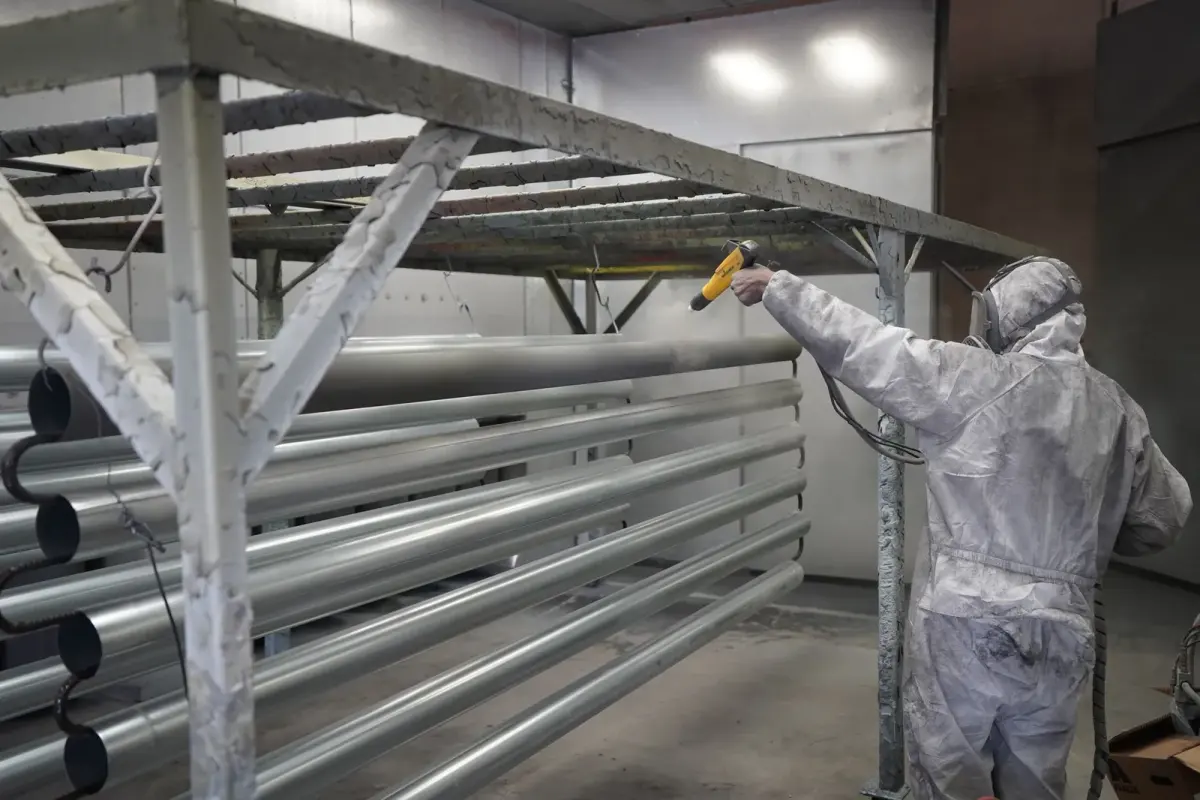
Technician applying powder coating to metal pipes
01 Purple at IEEE IMS 2027
What makes IEEE IMS different, and how we build for it
IMS is the week the RF and microwave world sits in one building. The three-day exhibition runs inside a six-day program that includes the RFIC Symposium, the RFSA and RFTT Symposia and the closing ARFTG Microwave Measurement Conference, so the engineer at your counter may have presented a paper that morning. The 2027 theme is Ride the Current, the Start-Up Pavilion brings early-stage companies onto the floor, and 200-plus education sessions pull attendees between the halls and the exhibition. These visitors want to see a trace, not a slogan. A booth that puts a working bench at the aisle and a quiet spot for the integration conversation behind it does the job.
A live measurement they can inspect, the device under test in view, and a specialist who can move from the trace to package, interface and integration questions.
Hands on the instrument interface, stable bench space, readable results at standing distance and honest labels for what is live and what is recorded.
A clear overview of the product range, sample and evaluation-board access, and a table where a program or a purchase can be discussed away from the demo.
Your team in San Antonio
One project manager, two shops, the whole IEEE IMS build
We fabricate in our own Fishkill, NY shop and our Las Vegas hub, then ship to the Henry B. González Convention Center, where our own project manager leads the install with vetted local labor. A predictable 30–45-day turnaround, secure storage and a pre-show QA before IEEE IMS.
Your team arrives at IEEE IMS to a lit, stocked booth. You just show up.

02 Booths & pricing for IEEE IMS 2027
Popular booth sizes at IEEE IMS
IMS floors mix 10×10 inlines from component and connector makers, 10×20 and 20×20 islands from instrument and design-tool vendors, and large islands from the big test-equipment brands. Exhibitors here usually choose a 10×20 with one live bench and a component wall, or a 20×20 island with two demo stations and a meeting corner.
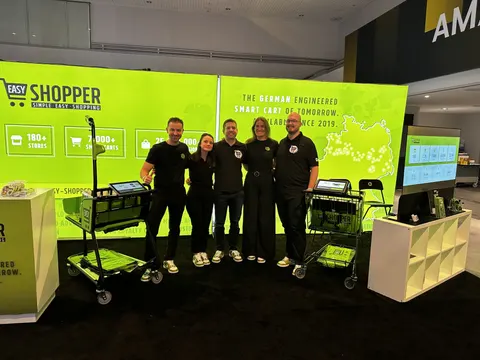
A live bench plus a component or application station, each answering a different question, with a compact surface for the integration discussion.
Shown: a Purple inline booth for Easy Shopper
See 10×20 rental booths →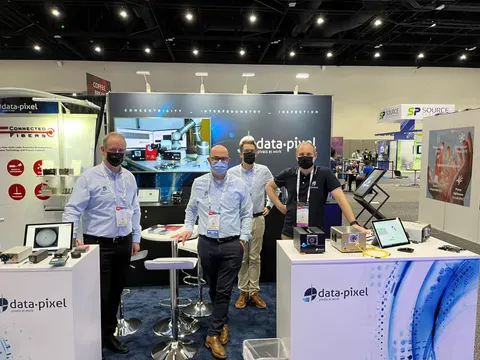
A live bench where two engineers watch one trace on a shared screen, a counter of evaluation boards and samples for researchers, and a table off the demo route for a purchase conversation.
Shown: data-pixel, a Purple inline booth
See 10×30 rental booths →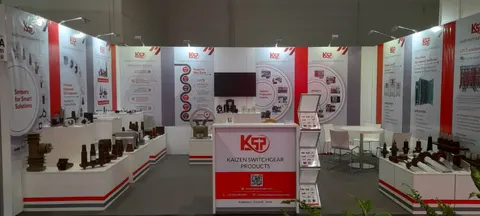
Separate approaches for instruments, devices and system applications under a hanging sign, with a defined meeting position and service access off the visitor route.
Pictured: Kaizen Switchgear Products, a Purple island exhibit
See 20×20 rental booths →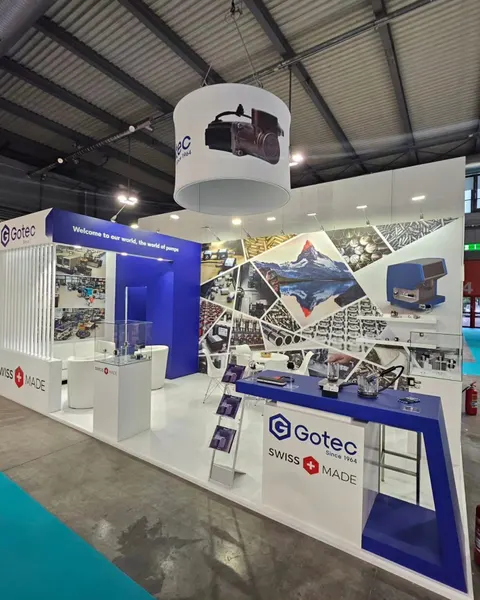
Multiple product-team stations, an antenna or subsystem display at scale, a private meeting room and storage for spares, samples and packing cases.
Above: Gotec, a Purple island exhibit
See 20×30 rental booths →In Purple's IEEE IMS price
- Your design and 3D rendering, revised until it is right for IEEE IMS
- Structure, graphics printed for IEEE IMS, counters and storage as specified
- Lighting plus power distribution within the booth at IEEE IMS
- Install and dismantle at IEEE IMS, led by our project manager on the floor
- Show-service orders and deadlines for IEEE IMS, tracked on your behalf
Paid to IEEE IMS and its contractor
- Exhibit space (paid to IEEE Microwave Theory and Technology Society)
- Drayage, or material handling, when it is not in the IEEE IMS space rate
- Electrical service, internet and rigging at the Henry B. González Convention Center
- Booth cleaning and whatever union labor the IEEE IMS venue requires
We estimate each of these on your IEEE IMS proposal, so the total is on paper before you sign.
Ranges shown are all-in 2026 rental prices for design, structure, graphics, installation and dismantle at IEEE IMS; custom builds get their own quote. Run your IEEE IMS numbers in the booth cost calculator and the 2026 booth cost guide.
Share the booth size you have at IEEE IMS and what you need the space to do. A reply within one business day, then a IEEE IMS rendering and fixed proposal, usually within a week. No charge.
03 Built by Purple
Booths we have designed, built and installed
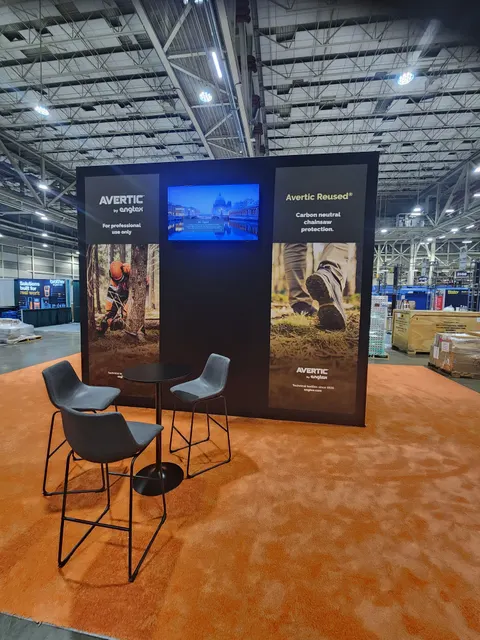
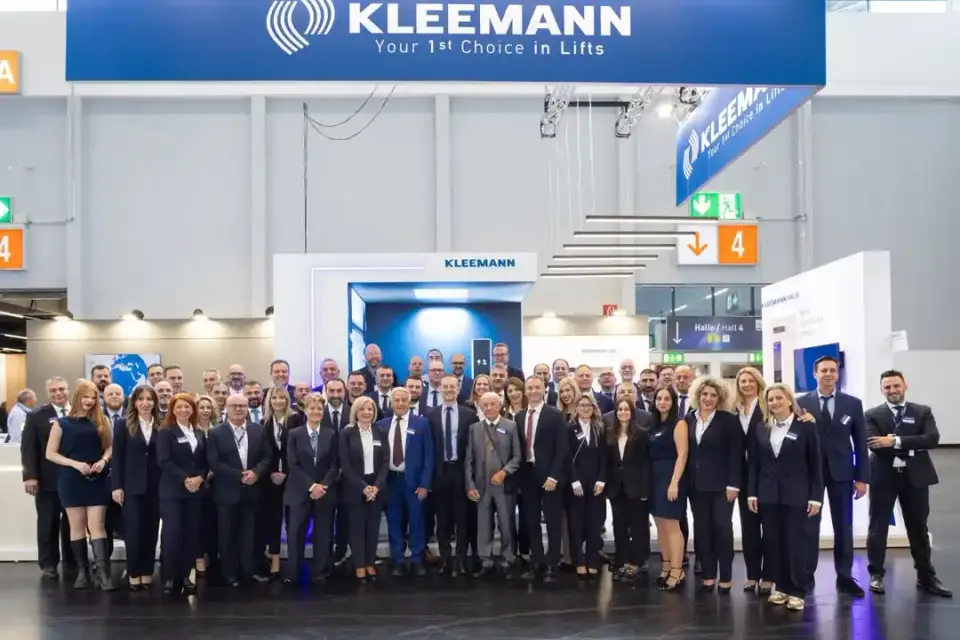
Case study · KLEEMANN
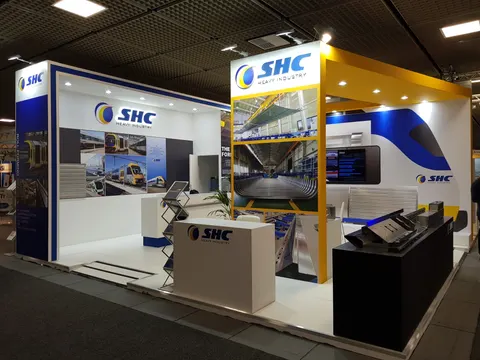
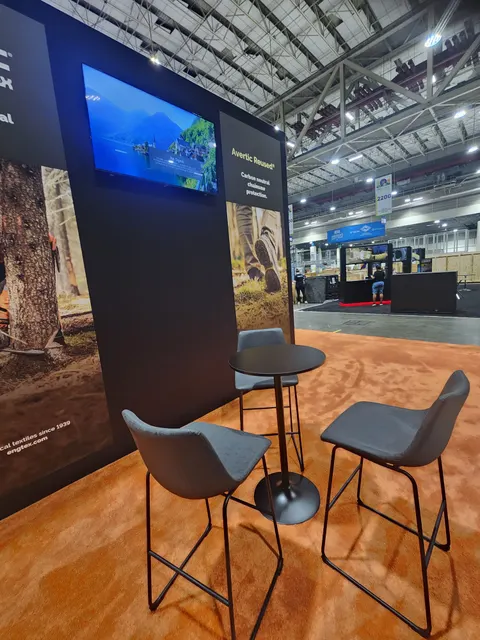
KLEEMANN at an industrial technology exhibition
A global elevator manufacturer’s interactive booth: real product showcases, digital simulations and a floor plan that guided visitors from the first step to the last.
Read the KLEEMANN case study All case studies →“If you’re looking for a trade show booth expert who shows up and gets the job done right, Purple Exhibits is the real deal.”
Magdalena Kulisz, Service Manager, Miss Immigrant USA · read more client reviews
Trusted by exhibitors including






04 Designing for RF, microwave and test-and-measurement companies at IEEE IMS
Four things we get right for IEEE IMS exhibitors
 1
1Design from the trace back
We start with the result the engineer should inspect, a single trace, a comparison or a switching sequence, and use your real screenshot to set screen size, position and viewing distance. Conditions and units stay visible beside the result, and the presenter gets a one-step return to the starting state.
 2
2Build the counter around the instruments
Send equipment dimensions, weights, clearance, airflow and control locations and we design the bench to fit. Supporting hardware sits behind a serviceable panel, no essential connector is hard to reach, and instruments are positioned and powered up after the counters are installed.
Let two engineers see one result
The specialist should not turn away from the visitor to run the demo. We arrange controls, instrument display and a shared screen so both follow the change, leave room for a colleague to join, and keep the deeper design conversation clear of the next demonstration.
Label live, stored and recorded
Every station gets a sheet with the device under test, instruments, connections, software version and expected result. Live measurements, stored data and recorded examples are labeled so a recorded result never reads as current, and a local backup is ready if connectivity drops.
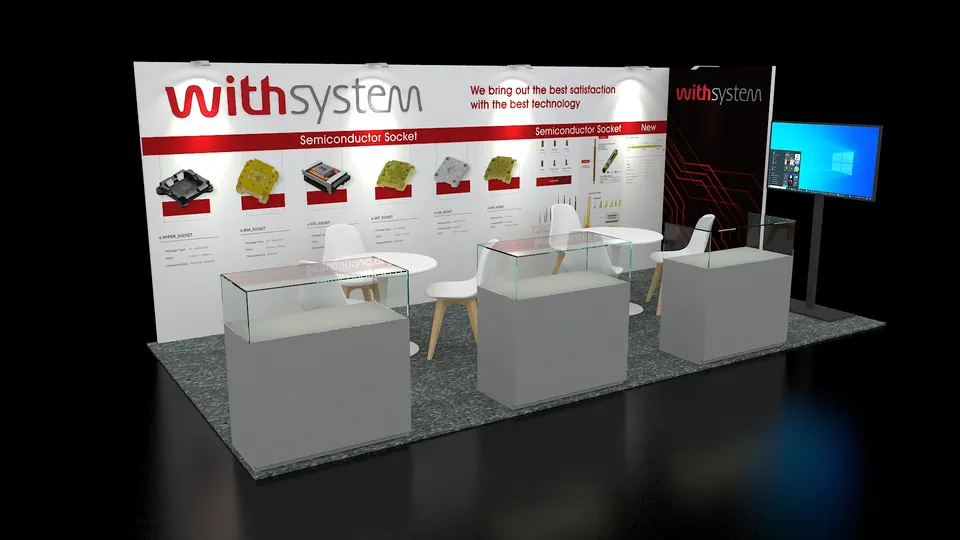
Concept rendering
Your IEEE IMS proposal comes with a rendering like this
You see your IEEE IMS booth in 3D before we cut a single panel: layout, graphics, lighting and product positions, revised until it is right. Above: a Purple concept for Withsystem.
Start my IEEE IMS concept05 Henry B. González Convention Center · San Antonio
Logistics for IEEE IMS 2027, handled
The Henry B. González Convention Center is a right-to-work Texas building, so the labor your project manager hires can build any size booth with its own tools. Material handling runs through the show's designated contractor at about $95 per hundredweight, and electrical, rigging and internet are exclusive to the center, so we order them early with your instrument power and network list in hand. Exhibit Halls 1–4 and Bridge Hall carry 35-foot ceilings, which makes hanging signs routine. Covered or two-story structures go to the San Antonio Fire Department for plan approval, with flame-certified fabrics. We route freight to the HemisFair-side docks, not the River Walk, ship to the advance warehouse and your project manager runs the install.
Hall rules, drayage estimates and freight deadlines for the building that hosts IEEE IMS are in our Henry B. González Convention Center exhibitor guide.
What Purple handles
- Exhibitor kit, service orders and target dates
- Bench and counter engineering from your instrument specs
- Electrical, rigging and internet orders with the center
- Fire plan approval for covered or two-story structures
- Advance-warehouse freight and drayage paperwork for IEEE IMS
- Installation and dismantle directed by your project manager, plus return freight
IEEE IMS timeline, counted back from move-in
- Mid-March 2027Design sign-off, instrument list locked and any covered or two-story drawings sent for fire plan approval.
- Late March to April 2027Production in Purple's shop; counters test-fitted to your instrument dimensions and graphics proofed.
- Early May 2027Booth ships to the advance warehouse in San Antonio; instruments travel by your calibrated-equipment plan.
- May 23–24, 2027Move-in; your Purple project manager runs the install, then your technical owner positions and powers up the instruments.
- May 25–27, 2027Exhibition days; a Purple project manager is on call for the full run.
- May 27–28, 2027Dismantle after the hall closes, instruments packed to your return plan, booth to storage or the next show.
Purple's planning timeline for IEEE IMS. Official move-in, freight target and order deadlines for IEEE IMS come from your exhibitor kit and assigned schedule; we confirm them against your booth when you book.
Printable IEEE IMS budget & deadline sheetIEEE IMS exhibitor questions
Questions exhibitors ask us before IEEE IMS
How much does a 20×20 booth at IEEE IMS cost?
A 20×20 custom island runs $50,000 to $120,000 all in for design, structure, graphics and installation, and a 20×20 rental $16,000 to $40,000. Custom instrument counters, mirrored screens and service access move the number; send your equipment list and we return a fixed quote.
Can you install at the Henry B. González Convention Center?
We can, and Texas makes it simpler: as a right-to-work state it lets contractor labor we hire put up any size booth with its own tools. We order the center-exclusive electrical, rigging and internet, book the designated contractor for material handling and have the structure standing before your engineers arrive with the instruments.
Can we rent a booth for IEEE IMS?
Most IMS exhibitors can rent: a 10×20 rental lands between $7,500 and $15,000 with your graphics and a purpose-built demo counter on the rental frame, and a custom 10×20 runs $15,000 to $45,000. Most first-time IMS exhibitors start with a rental and a custom bench module they reuse.
When do we need to decide?
Design sign-off by mid-March gives a comfortable 30 to 45-day build and an early-May ship date for the May 23 move-in. Later is possible; the trade-off is choice of finishes and freight cost. Lock the instrument list first, because the counter is drawn around it.
Do you handle the show contractor's orders and drayage?
Yes. We file the forms that concern the booth, order material handling at about $95 per hundredweight, ship to the advance warehouse on the target date and keep you copied on every deadline so nothing depends on a form you did not know about.
Before you sign for IEEE IMS
Five questions to ask any exhibit builder for IEEE IMS:
- Are all fees on paper, including what the contractor at the Henry B. González Convention Center bills?
- Who actually builds it for IEEE IMS: your shop or a subcontractor?
- Who from your team is on the IEEE IMS floor for install and dismantle?
- Which items are in the rental, and which does the show bill?
- Where is the booth stored after the show, and at what cost?
Common situations
Already own a booth? Bring it: we refresh the graphics, repair what is worn, ship it, install it at IEEE IMS and store it until the next show. You keep the structure you paid for and bring it to IEEE IMS.
Exhibiting from outside the US? We handle the ground work for IEEE IMS: freight to the advance warehouse, show-service orders, installation and storage, with one project manager replying to your emails in your time zone.
Short on time? A rental with your graphics can be ready for IEEE IMS in two to three weeks. We say on the first call what is realistic for your show date.
Get a proposal
Tell us about your IEEE IMS booth
What happens next
- We reply within one business day with questions about your products, goals and IEEE IMS footprint.
- Within a week, usually, you have a concept rendering and a fixed proposal. No fee left off: every IEEE IMS cost is listed upfront, on paper.
- We build in 30 to 45 days, ship to the advance warehouse and have the booth installed before IEEE IMS opens.
