

InfoComm 2027 · June 12–18, 2027 · Orange County Convention Center, Orlando
InfoComm 2027 booth design & build in Orlando
Custom and rental exhibits for display, audio, control and collaboration brands, built around a working signal path integrators can try. Rigging and power ordered from the OCCC, target move-in booked with the show contractor, and installation run by your Purple project manager.
- June 12–18, 2027
- Orange County Convention Center
Every fee on paper upfront, in full, for your InfoComm booth. Since 2015 · 10,000+ booths built · 3,000+ exhibitors served · 4.9★ client rating
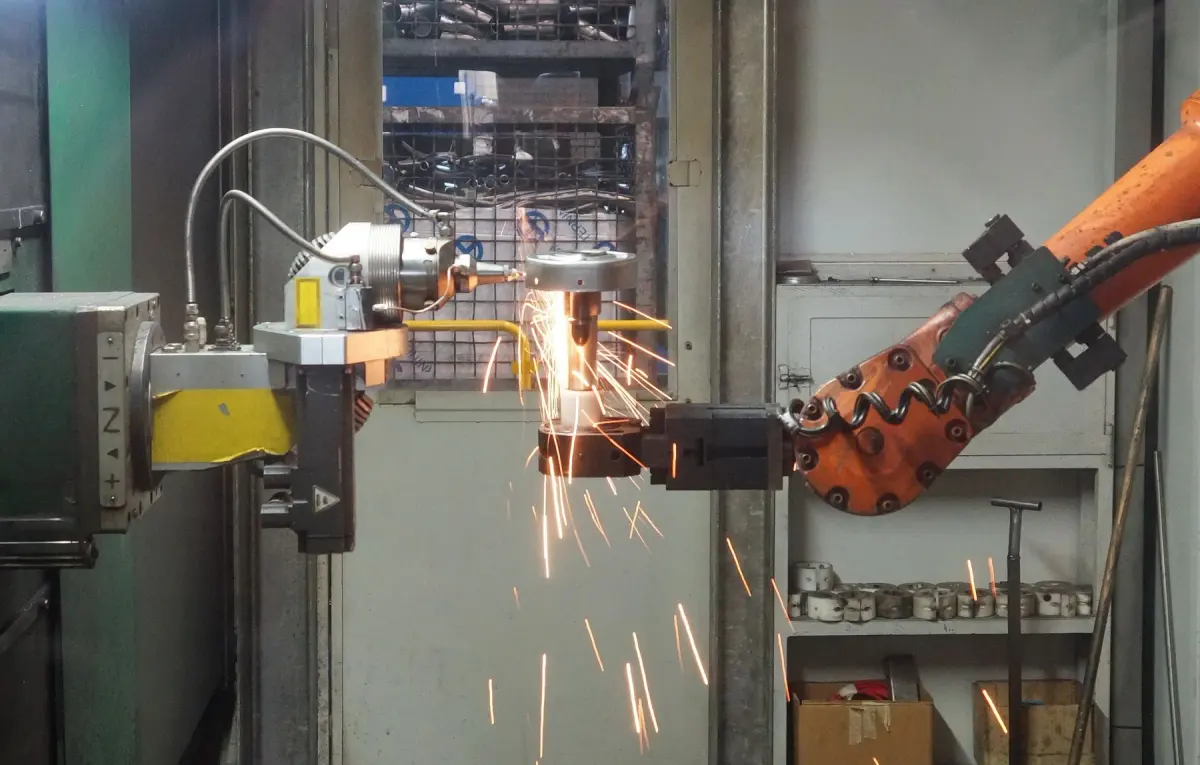
Industrial robot working on a metal component with bright sparks
01 Purple at InfoComm 2027
What makes InfoComm different, and how we build for it
InfoComm is AVIXA's pro AV show, and in 2027 it comes to Orlando as three co-located events with RESIDE and Lightapalooza on one badge. The 2026 edition drew 28,132 attendees from 94 countries and 807 exhibitors across 395,500 net square feet. The floor runs like a live broadcast: the Vision Stage and Spotlight Stage pull crowds between sessions, Xchange LIVE and AVIXA TV put exhibitors on camera, and the Audio Demo Rooms set the standard for how a product should be heard. Integrators and end users come to compare, so a booth that lets them see a display at its intended distance and touch the control surface earns a longer conversation than a wall of logos.
A complete signal path they can trace from source to output, the control interface within reach, and a specialist who can answer integration questions at a table away from the demo.
A use case they recognize, a conference room, a lobby wall or a lecture hall, shown at real scale with the result visible in the same field of view as the control.
Comparison demos under repeatable conditions, a readable integration diagram, and a quieter zone where roadmap and partner conversations can happen while the floor demo keeps running.
Your team in Orlando
Two shops and one project manager for InfoComm
Your InfoComm booth is built in our own production shop in Fishkill, NY, or at our Las Vegas hub, shipped to the Orange County Convention Center and installed by vetted local labor with our own project manager on the floor. Every InfoComm build runs a predictable 30 to 45 days and gets a pre-show QA, with secure storage after.
The booth is lit and stocked when your team reaches the Orange County Convention Center. You just show up.
02 Booths & pricing for InfoComm 2027
Popular booth sizes at InfoComm
InfoComm floors are set by the display and audio majors, whose islands run LED walls, listening rooms and stages. An inline booth here needs one screen or station that reads from the aisle and one hands-on task. Exhibitors here usually land between a 10×20 with two demos and a 20×30 with a demo theater and a meeting room.
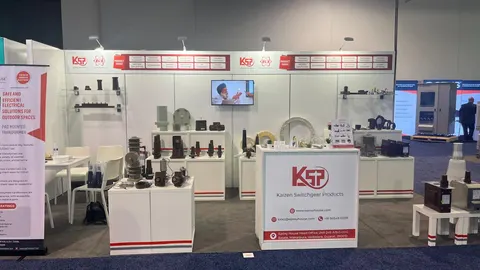
Two complementary demos along the back wall, a compact consultation table, and the main approach kept open so a waiting group does not block the second station.
Shown: a Purple inline booth for Kaizen Switchgear Products (KSP)
See 10×20 rental booths →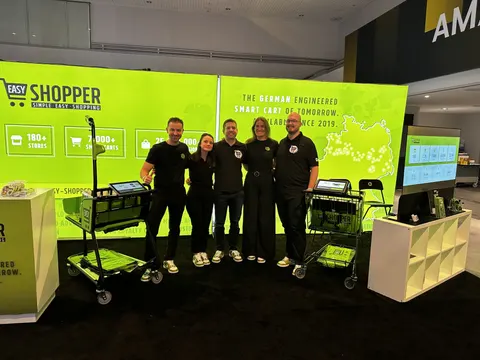
Each bay gets one job: a display at its intended viewing distance, a control surface within reach, and a consultation table with the integration diagram, so no waiting group spills into the next station.
Shown: Easy Shopper, a Purple inline booth
See 10×30 rental booths →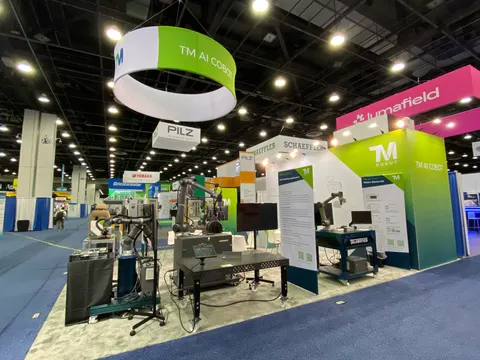
A central presentation feature under a hanging sign, perimeter stations for individual testing, and a semi-enclosed meeting area with acoustic separation.
Shown: TM AI Corp, a Purple island exhibit
See 20×20 rental booths →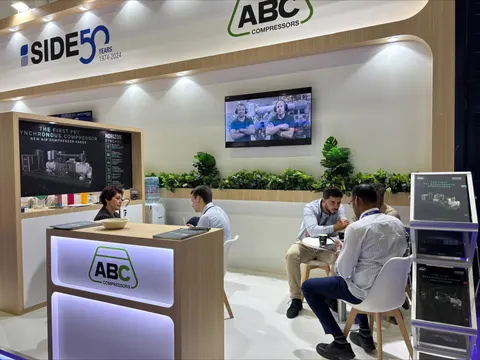
A demo theater with seating, a working conference room or audio room, product zones by category and a private meeting room with its own power and network.
Above: ABC Compressors, a Purple island exhibit
See 20×30 rental booths →In Purple's InfoComm price
- Design and a 3D rendering for InfoComm, revised until it is right
- Structure, printed graphics, counters and storage as specified
- Lighting and in-booth power distribution for InfoComm
- Installation and dismantle, with our project manager on the floor
- Every show-service order and deadline tracked for you
Paid to InfoComm and its contractor
- Booth space, paid to AVIXA
- Material handling (drayage) at the Orange County Convention Center, where the space rate does not include it
- Electrical, internet and rigging orders for InfoComm
- Booth cleaning and any union labor the Orange County Convention Center requires
Your proposal estimates all of these, so the total for InfoComm is on paper before you sign anything.
The prices above are all-in 2026 rental ranges covering design, structure, graphics, installation and dismantle; custom builds for InfoComm are quoted per project. Get an exact number for InfoComm with the booth cost calculator or the 2026 booth cost guide.
Send us your booth size for InfoComm and what the space needs to do. You hear back within one business day, and a rendering with a fixed InfoComm proposal usually follows within a week. No charge.
03 Built by Purple
Our booths, designed, built and installed, to compare for InfoComm
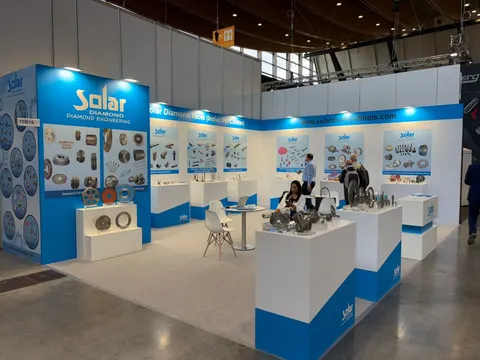
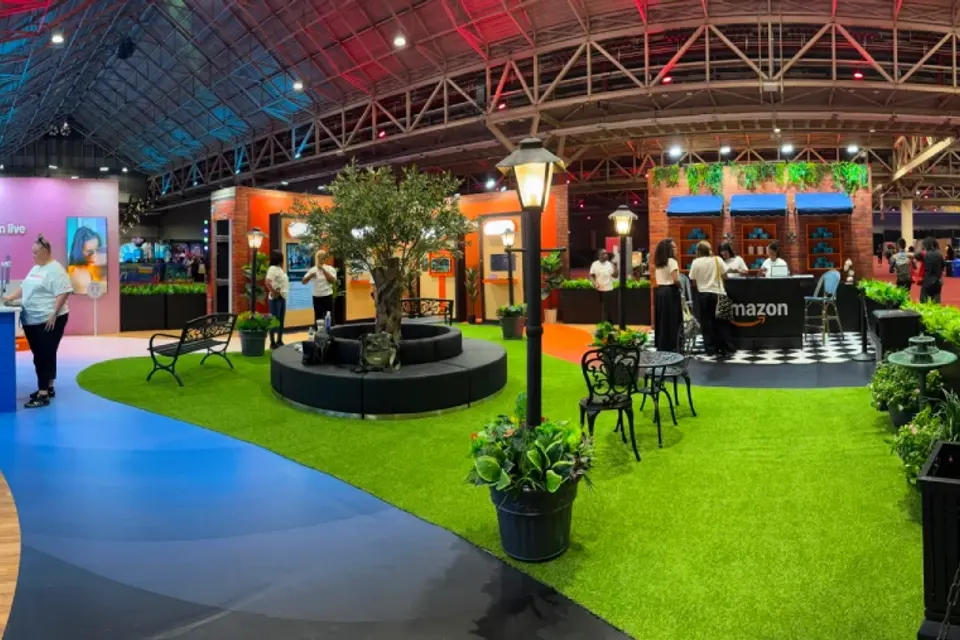
Case study · Amazon
Amazon at ESSENCE Festival of Culture, New Orleans
For Amazon’s first ESSENCE Festival activation, a walk-through environment that welcomed hundreds of thousands of attendees across Prime Video, Amazon Live and Alexa.
Read the Amazon case study All case studies →“If you’re looking for a trade show booth expert who shows up and gets the job done right, Purple Exhibits is the real deal.”
Magdalena Kulisz, Service Manager, Miss Immigrant USA · read more client reviews
Trusted by exhibitors including






04 Designing for pro AV, display and collaboration brands at InfoComm
Four things we get right for InfoComm exhibitors
 1
1Start with the difference they should notice
Decide the one thing a visitor should notice in the first minute: a clearer image, a simpler control sequence or a more intelligible conversation. That choice sets viewing distance, screen position, lighting and how many people can take part, and we build the structure around it.
 2
2Put the control within reach
An audio console or control surface sells when a buyer can complete a real task: select a source, adjust the mix, hear the result. We position the interface within reach, keep the outcome in the same sightline and leave room for your specialist to explain the wider system.
Make the infrastructure part of the brief
We record every display, player, control device and signal connection with mounting dimensions, ventilation and service access, then route cabling inside the structure. Portrait walls, wide LED canvases and desktop interfaces each get their own framing, so nothing is improvised on site.
Separate discovery from discussion
A bright, outward-facing demo attracts attention while an adjacent table carries diagrams, deployment questions and partner meetings. We plan where waiting visitors stand, how staff reset each demo, and where overhead light falls so the image and the graphics both stay readable.
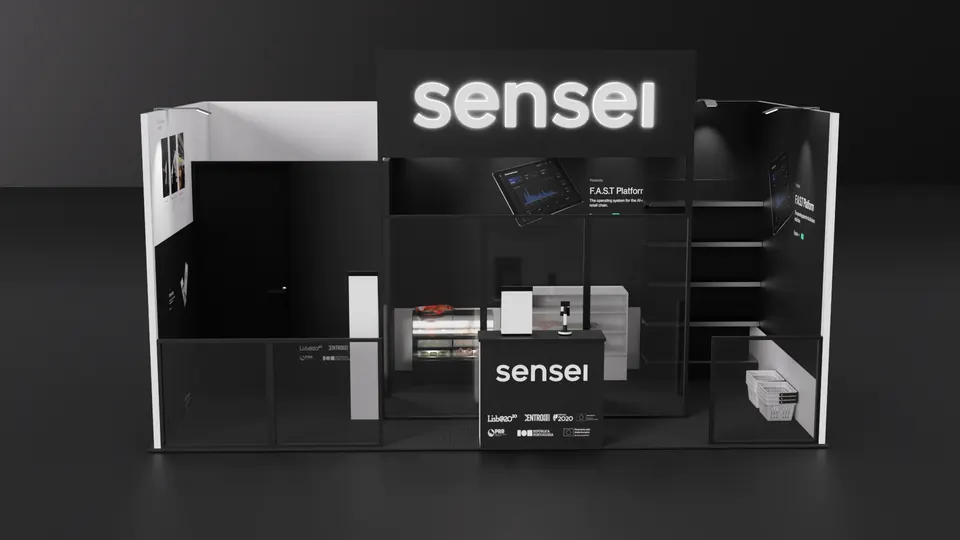
Concept rendering
Your proposal for InfoComm includes a rendering like this one
Layout, graphics, lighting and product positions are all in the 3D view, revised until right, before a single panel is cut for InfoComm. Shown: a Purple concept for sensei.
Start my InfoComm concept05 Orange County Convention Center · Orlando
Logistics for InfoComm 2027, handled
The Orange County Convention Center is non-union, with separate docks and freight schedules for the West and North/South buildings and a strict fire marshal. All rigging and electrical work is done by OCCC crews, so we order your hanging sign, overhead lighting and power drops from the venue before early-order pricing closes three weeks out. Anything on wheels goes through the dock and the show contractor, and a covered area of 300 sq ft or more needs a fire watch, which we design around. We read the InfoComm exhibitor kit, file as your Exhibitor Appointed Contractor, book your target move-in, ship to the advance warehouse from our Fishkill shop, and put our own project manager on the floor with vetted local labor.
Hall rules, drayage estimates and freight deadlines for the building that hosts InfoComm are in our Orange County Convention Center exhibitor guide.
What Purple handles
- Exhibitor kit, show contractor orders and target move-in dates
- OCCC rigging, hanging sign and electrical orders
- Mounting engineering for displays, LED tiles and speakers
- Graphics printed in house and proofed against your screen content
- Freight to the InfoComm advance warehouse and drayage paperwork
- Installation and dismantle under your Purple project manager, with return shipping
InfoComm timeline, counted back from move-in
- Early April 2027Design sign-off, equipment list locked, and covered or multilevel drawings submitted to the OCCC where required.
- April to May 2027Production in Fishkill, NY; screen mockups proofed with your real interface content; OCCC rigging and electrical ordered before early pricing closes.
- Late May 2027Booth, mounts and cabling ship to the show contractor's advance warehouse in Orlando.
- June 12–15, 2027Targeted move-in; your Purple project manager runs the structure install, then your technical team commissions and rehearses the signal chain.
- June 16–18, 2027Exhibit days; a Purple project manager is on call for the whole run.
- June 18–19, 2027Dismantle, hardware packed to your return plan, booth to storage or the next show.
Purple's planning timeline for InfoComm. The official InfoComm move-in, freight target and order dates come from your exhibitor kit and assigned schedule; when you book, we confirm them against your booth.
Print the InfoComm budget & deadline sheetInfoComm exhibitor questions
Questions exhibitors ask us before InfoComm
How much does a 20×20 at InfoComm cost?
A 20×20 custom island runs $50,000 to $120,000 all in for design, structure, graphics and installation; a 20×20 rental with your graphics runs $16,000 to $40,000. Display mounts, acoustic treatment and a hanging sign move the number. Send your equipment list and we return a fixed quote.
Can you install at the Orange County Convention Center?
We can. The OCCC is non-union and we file as your Exhibitor Appointed Contractor. Your Purple project manager leads the install of the structure, mounts and cabling, orders rigging and power from the venue's in-house teams, and hands over a booth ready for your technicians to commission the system.
Can we rent a booth for InfoComm?
Yes. A 10×20 rental with your graphics lands between $7,500 and $15,000, and custom demo counters or a screen wall can be added to a rental frame. Most first-time InfoComm exhibitors start with a rental and invest in one custom feature.
When do we need to decide?
Design sign-off in early April gives a comfortable 30 to 45 day build and a late-May ship to the advance warehouse. Later is possible; the trade-offs are finish choices, OCCC early-order pricing on rigging and power, and freight cost.
Do you handle show contractor orders and drayage?
Yes. We book your target move-in dates with the show contractor, ship to the advance warehouse, file the material handling paperwork and order the venue's rigging and electrical, then keep you copied on every deadline so nothing depends on a form you did not know about.
Before you sign for InfoComm
Five things to ask every builder quoting InfoComm:
- Is every fee on the proposal, including what the show contractor bills?
- Is the booth built in your own shop or by a subcontractor?
- Who from your team is on the InfoComm floor for install and dismantle?
- What exactly is in the rental, and what is billed by the show?
- Where does the booth go after the show, and what does storage cost?
Common situations
Already own a booth? We refresh the graphics, repair what is worn, ship it, install it and store it between shows. You keep the structure you paid for and bring it to InfoComm.
Exhibiting from outside the US? For InfoComm, we act as your team on the ground: freight to the advance warehouse, show-service orders, installation and storage, and one project manager who answers your emails in your time zone.
Short on time? A rental with your graphics can be ready for InfoComm in two to three weeks. We tell you on the first call what is realistic before InfoComm.
Get a proposal
Tell us about your InfoComm booth
What happens next
- Within one business day we write back to ask about your products, your goals for InfoComm and your footprint.
- Usually within a week, you receive a concept rendering and a fixed InfoComm proposal. Every last fee for InfoComm, listed upfront and in full on paper.
- Production runs 30–45 days, then we ship to the advance warehouse and install before the InfoComm hall opens.